How to create a killer LinkedIn profile and company page

LinkedIn is, what I think one of the most overlooked social media platforms out there. A lot of business owners have a LinkedIn profile that they set up when they were back at their corporate job and maybe have updated it once or twice. Well, I am here to tell you WAKE UP and make sure you have updated your LinkedIn profile! In this blog we will be covering:

  • What you should include in your personal profile
  • How to create a company page
  • How you can add connections and build your network.

What Do I Need To Supply For A Linkedin Profile Page?

Top 9 things that you NEED to have in your profile

1. YOUR Picture

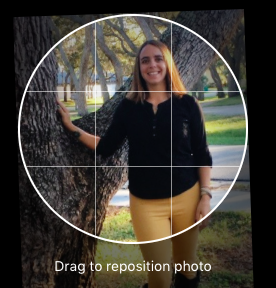
  • Do NOT use an avatar or cheesy image of yourself, people want to see YOU
  • You can use a current up-to-date headshot, or an image of yourself with a natural background, not a party or fuzzy image or a selfie. Take your time on this photo! 
2. Headline and Header

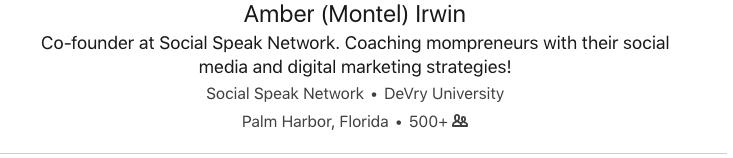
  • Think of this as the first impression, this is what people are going to see with your name and picture.
  • Have your headline be intriguing, eye-grabbing, relevant and clear.
  • Include your company name and then your title or what you do. 
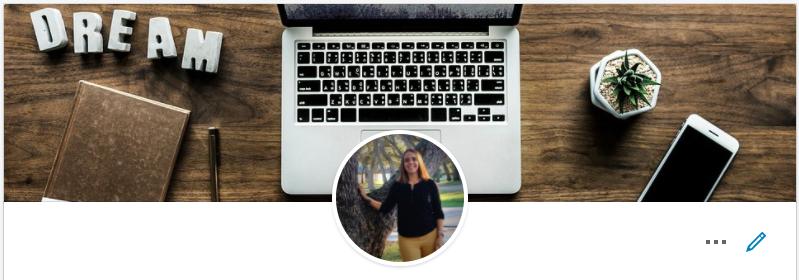
  • You can now have a customized banner (1400×425), which you can create in Canva. This header should be relevant to who you are and what you do. Have fun with it. 
3. Summary (Good for SEO)

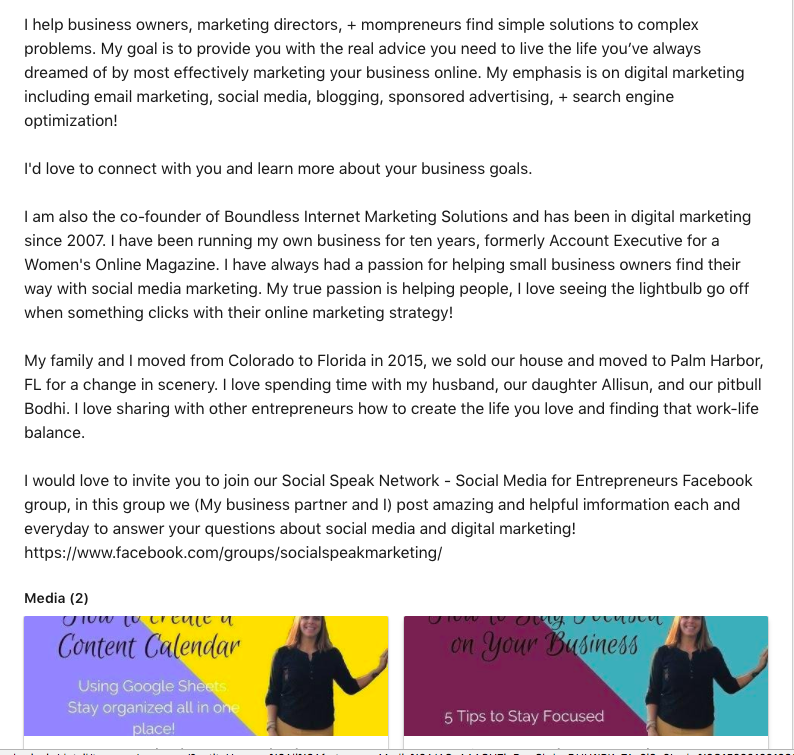
  • Tell your story, what’s your WHY. Keep your summary in the first person.
  • Personalize your summary.
  • Your summary should be engaging, relevant and conversational.
  • In this area, it is great to demonstrate that you are an expert in your field/industry. Add media (Videos, PowerPoints, Presentations, PDFs. etc.)
  • Remember SEO when you are writing your summary. It is important to include your keywords in this section along with long-tail keyword phrases to have a higher rank within LinkedIn searches but also Google searches. Here are two pieces we did on finding your keywords so you know what you should be writing about. Finding Keywords and How to Use KWFinder.com 
  • As I mentioned before add media to your summary! There is not a limit, I mean you don’t want to add your WHOLE YouTube Channel, but I would say between 2-5 videos, or maybe big presentations you have done, recorded webinars, things that give your audience value. Something they can learn from looking at your LinkedIn profile! AND this helps you stand out from everyone else. 🙂
  • We have spoken about what’s your WHY, creating that personal brand, your core values, brand message, you want to make sure those come through in your profile. People should be able to read your summary and understand who you are and WHY you do what you do.
  • Talk to your target market, at the end of your summary have a call-to-action
4. Experience

  • Start with the most recent position or company and give us details! What is your role, responsibilities, etc.
  • List the experiences you have had with each position or company
  • List our accomplishments and challenges you have encountered, what was the outcome?
  • Remember your target market and speak to them when you are adding your services and details.
  • You don’t need to list EVERY job you have had from the time you turned 15! Stay relevant list that last few with great detail.

5. Education

  • Where did you go to school? You can list high school and college
  • Remember to list your degrees, diplomas, certifications etc.
  • It’s important to also include dates and locations.

6. Volunteering & Causes

  • People LOVE to see that you are involved in your community or a certain cause. Cause marketing is HUGE!
  • List the non-profits you have helped, maybe sit on the board or have organized events for.
  • What causes do you donate your time, money and energy too?
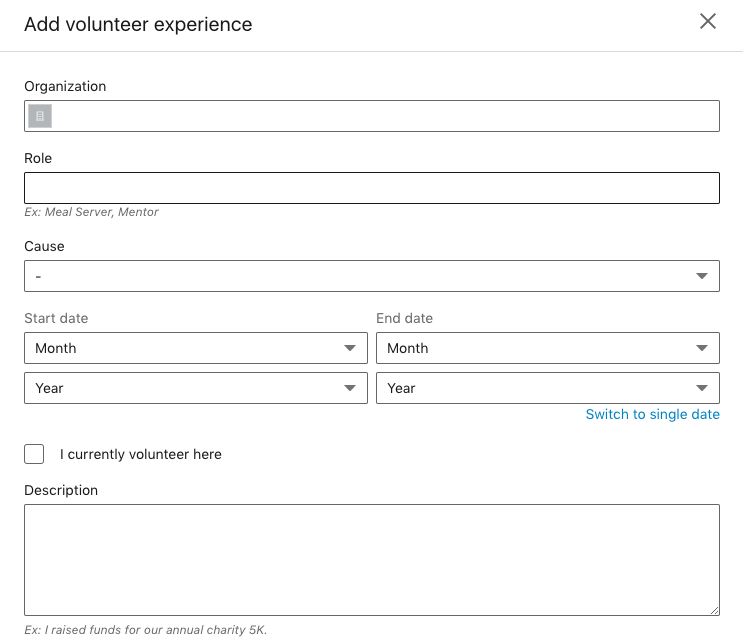
7. Skills & Endorsements

  • We get asked this question a lot, should we include the skills and endorsements in our profiles? The answer is YES!
  • People have recognized you for a skill that you have, acknowledge it.
  • LinkedIn will have those endorsements show up by the ones people have selected the most. You can always go in and edit or delete these as you find needed.
  • Think of your keywords when adding your skills, you will notice in the image below, the last skill on the bottom right corner says DOGS, um, I do social media and digital marketing, BUT in my past experience I was a Vet Tech at an Animal Emergency Center, so I may think of deleting that one just because it is not relevant with what I am doing now. 
8. Recommendation & Awards

  • We always encourage our clients to have people give them recommendations on LinkedIn and include them in your profile.
  • List any awards you have won through work, community, networking.

9. Interests and Groups

  • As a bonus to your profile included interests you have
  • Also, include groups you are apart of on LinkedIn

Now, that we have your personal profile taken care of it is time to move into business. You can still post business related topics to your personal profile, but there are so many perks to having a business page on LinkedIn. In the video below I show you how to create that company page, so if you don’t have a company already take a minute to create one and then we will talk about “WHY” you need to have one and all the benefits!

LinkedIn Business Page

You want to make sure you optimize your company page to build brand recognition. We spoke last week about being consistent across the board with your social media and that remains the same with your company page. You want to make sure you have the right size header, logo, etc. Here are the sizes you need to have on your company page:


  • Company logo – 300 x 300
  • Cover image – 1536 x 768
  • Overview tab image – 360 x 120
  • Hero image – 1128 x 376

Here is an example of H&R Block’s company page, it is consistent with their brand, brand colors, logo, header, overview image, about us and more!
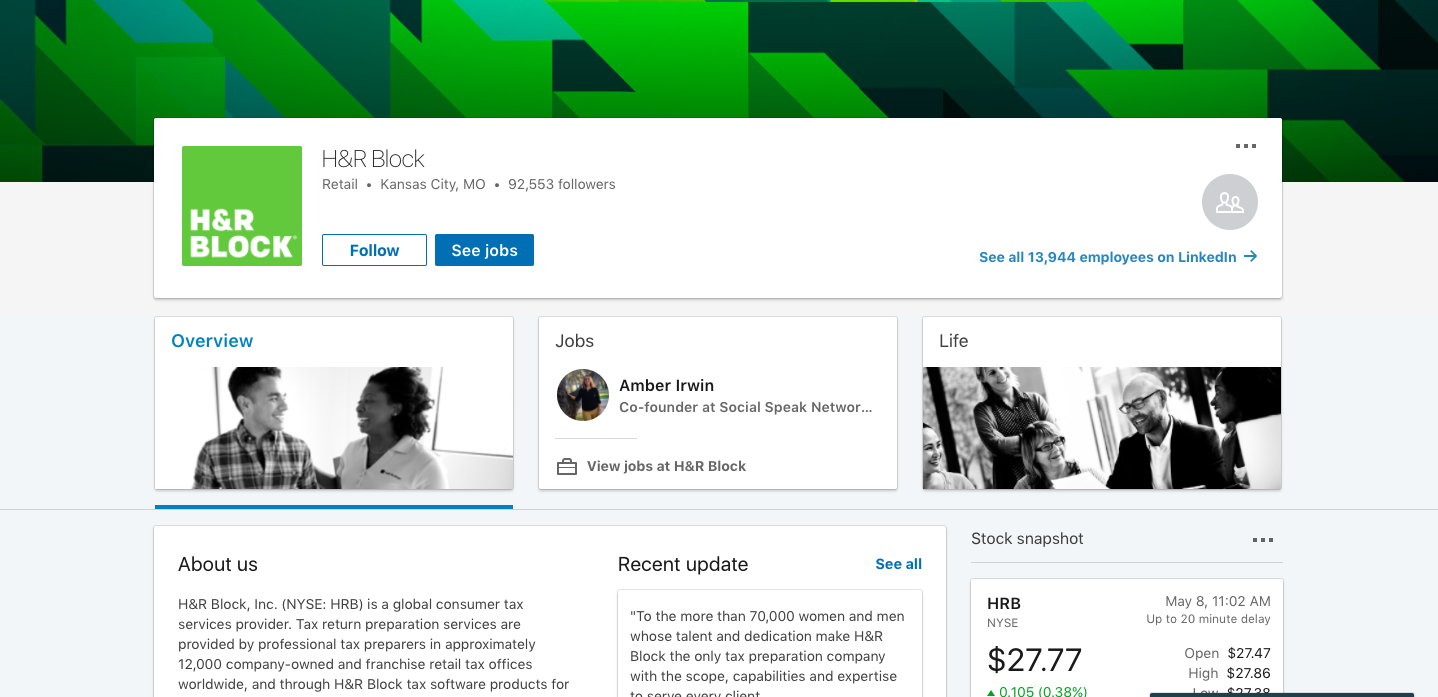
About Us Section

This is the MOST important piece of your company page, you have 2000 characters to use up. Think of your story, WHY your business does what it does, who do you help, speak to your target audience and use your keyword phrases. This is where your audience gets to really know WHO the company is. They are taking a peek inside and understand more of the foundation of your business. What makes your company stand out from the others, how did your company come to fruition, what is your business’s mission and vision, etc? More details the better.  You want this section to be eye-grabbing and you want your audience to fall in love with your business, your brand, you want them to want to find out more. . .  you want them walking away liking you, building that trust. You do not want them walking away feeling like they were being “sold” or not understanding what your business does.

Also remember in this section you want to add your website, your main office –  with this piece most of our clients, including us work from our homes and do not want our address out to the world, I love coffee dates but don’t want people knocking on my door 🙂 You still need to enter your full address, but on the public page it will just say headquarters in CITY, ST not your address. In the video above I show how this process works! Also, you will enter the number of employees you have, the year you were founded, company type and BONUS – Specialties! You can use keywords in this area of specialties or a very clear short statement of what you do.

If you have LinkedIn upgrade package you can also add jobs and life section, we won’t really go into those today, just because most of our readers just use the free version of LinkedIn, just like us! The next thing we want to add as an extension of your company page is:

Add Showcase Pages

Creating a showcase page is adding to your company page, it is an extension. You can highlight a specific product or service your business offers. This allows your brand to come to life a little bit more. Before LinkedIn had a services/products tab, but they do not have that anymore. They now offer the showcase page/ It is an independent page with its own “About Us” section, logo, cover, website, etc. It also will have its own followers and you can post your own updates to this showcase page to show that service or products own personality. These updates you post would only be about this service or product.  You can also monitor its own analytics, so you can see how that showcase page is doing.

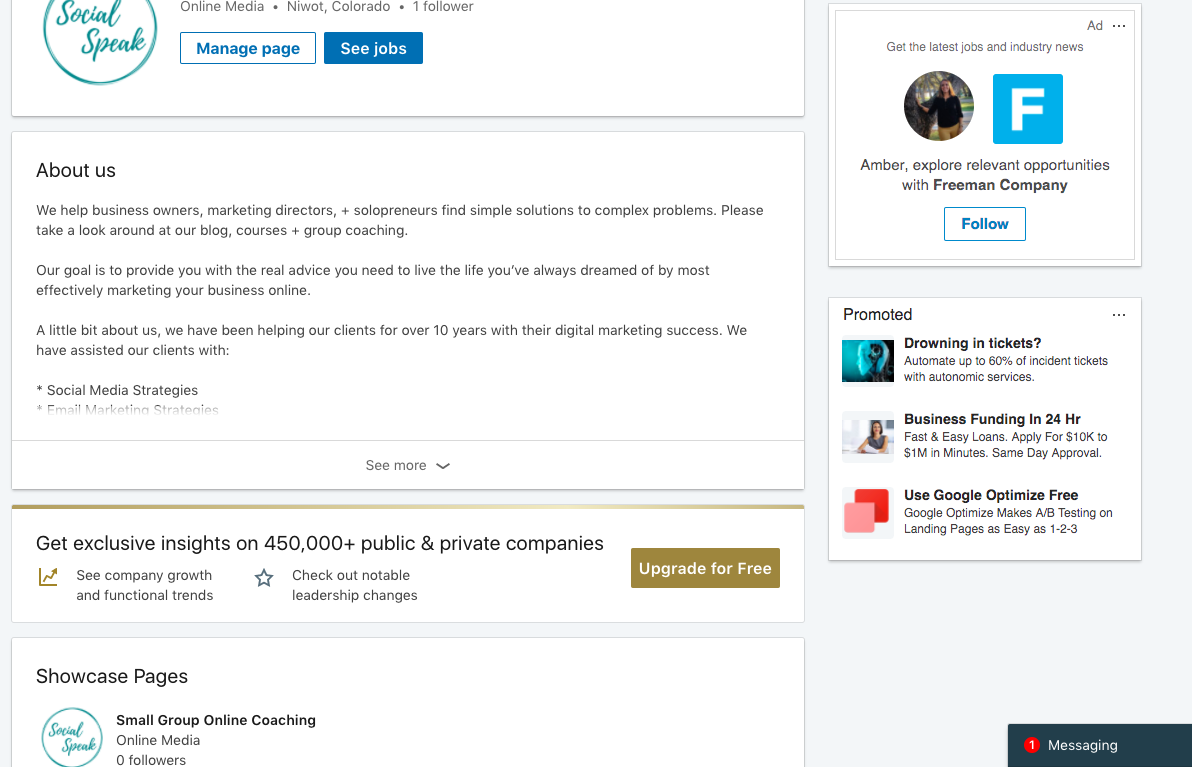
We created a showcase page just for our small group online coaching: As you can see this is just for our small group coaching and its website url is to that page on our website, then to the right you see that is says “This is a Showcase page by: Social Speak Network” which links back to our company page. This is a great way to talk about your key services or products. I would like 3-5, it adds so much value to your company page.
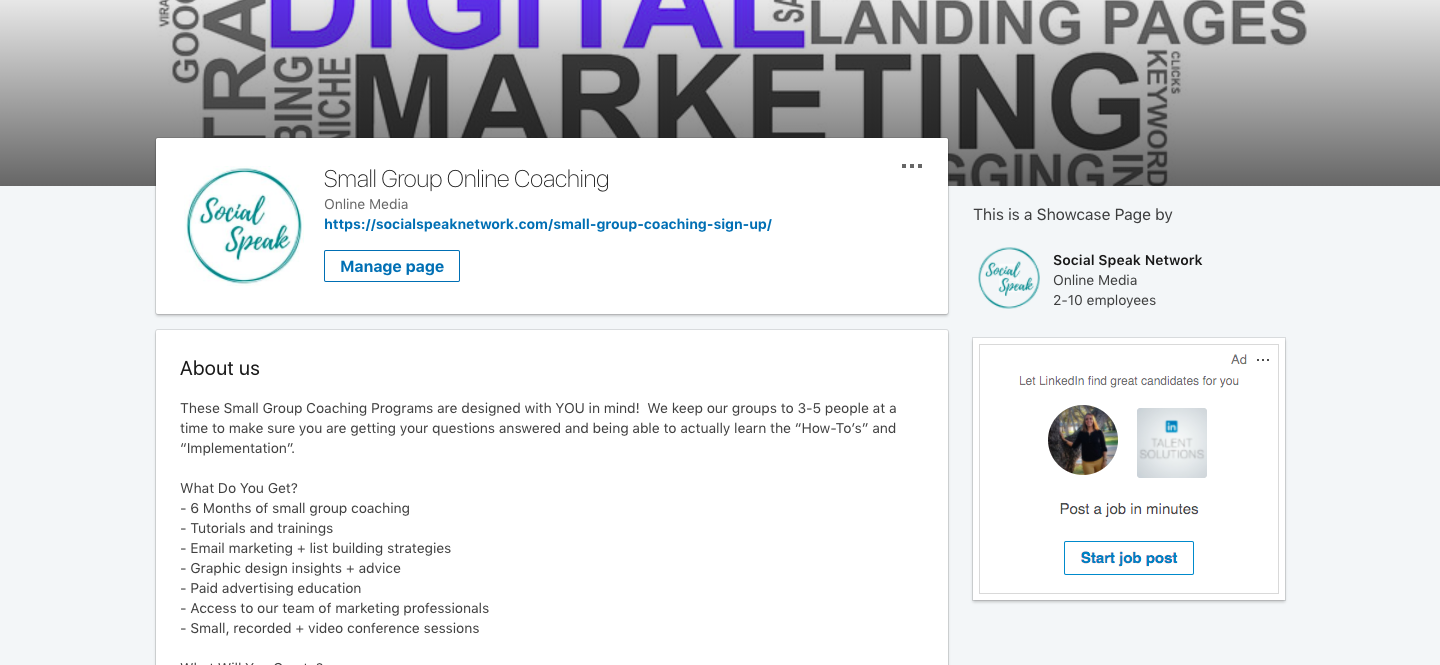
social speak showcase LinkedIn page

This is so freaking cool right?!?! Yes, it is! Now that you built your awesome Showcase pages I am sure you are wondering where does it show up and how do people see the connection between your company page and Showcase pages??? Well, it is pretty simple your Showcase pages show up right under (Well after the ads) the About Us section. This is just such a cool way to promote those key services or products. Think of these Showcase pages as website pages, they are meant to stay on your company page and be updated as needed. These are NOT pages to create events or short-term marketing offers or campaigns. These Showcase pages are going to help build trust and relationships with your audience. This is what is looks like:
Great job on getting your personal profile set up, your company page and showcase pages created, now it’s time to feed them! What I mean by this is CONTENT!

Start Posting Valuable Content:

Content stills remains a key component of these pages. If you took the time to create these pages, and make sure they look pretty and match your brans, why wouldn’t you want to do more with them? They need to be thought of the same as you think about your Instagram Business profiles or Facebook Page, you post to those daily or weekly correct? Your LinkedIn profile, Company Page, and Showcase pages should be thought of the same way! WOW, we just added a lot more to your list! Don’t worry you can add your company page and showcase pages to Buffer or Hootsuite, so you can schedule your posts to go out through one of these tools to help save time, but also to be consistent. You may need to upgrade your package with these two tools if you have already used the 3 free social profiles. Each of these is free to post through up to 3 profiles, so you may already have Facebook, Twitter, and your personal LinkedIn profile, you will need to increase your account so you can add more.

What are things you should talk about on each of these pages? I think we need to split these up into three different sections, each area such as your personal profile, company page, and showcase page will have their own personality. You need to treat them as their own entity. Each page audience will be different, they may be similar or you will have people that you are connected with on LinkedIn and YOU and then they follow your company page and maybe one of your showcase pages as well. So, they will NOT want to see the same content on each page. Let’s start with your personal profile first, this is what most people will see, because like all the social media algorithms you will get more engagement with your personal profile than your company pages.

Personal Profile Tips:

  • Post valuable content, NO political or religious posts
  • Post Daily
  • Share your businesses blog posts with clear call-to-action
  • Share your personal story
  • Stay away from posts you would put on your personal FB – LinkedIn is a little more professional
  • Share tips, techniques, tools, videos that align with your business
  • Talk about your role in your business, your journey, who you have helped, your WHY

Company Page Tips:

  • Post focused, clean, relevant, and valuable content
  • Share your blog posts
  • Talk about your content upgrades with call-to-action
  • Share your YouTube videos
  • Curated content – articles, videos, images from other companies that align with your business.
  • Feature an employee or a person that works with you
  • Behind the scenes – stories, pictures, videos
  • Test your audience – post an appropriate funny video or image and see the response, mix up your content to see what your audience is engaging with the most.
  • Branded images via Canva that have a quote or stat
  • Events – talk about local events that are going on or events you will be attending
  • Local – if you are a local business share local news
  • Speak to your target audience – ask them questions and get feedback

Showcase Page Tips:

  • This is about that one service or product
  • Stay focused on the topic at hand
  • Post maybe 3 times per week – people tht follow your company page or personal profile will already see what your business is doing so posts on your showcase page need to be specific to that service or product. You don’t want to overwhelm your audience.
  • Videos you have done on that service or product
  • Client testimonials
  • Share stories of your struggle, your journey or clients journey and how this service or product has helped them.
  • Share stats and success stories

As you can see these are all similar but different at the same time.

How to Grow your Profile and Company Page

One of the features I like most about LinkedIn is you can add connections to grow your online community. Before, people would just add anyone and everyone so they built quantity connections, rather than quality. Yeah, it’s great to have a large number of connections but we want to focus on adding the quality connections. A key piece to adding quality connections is to have a little note, an intro when you ask somebody to connect with you if you don’ already know them.  You may see LION next to peoples names, this stands for LinkedIn Open Networker, meaning they are open to connecting with everyone, I don’t see this being used too much anymore, which I like. You will get asked to connect with people you don’t know and that is OK, check them out, look at their profile and see who they are. I like to think of LinkedIn is an online networking group.

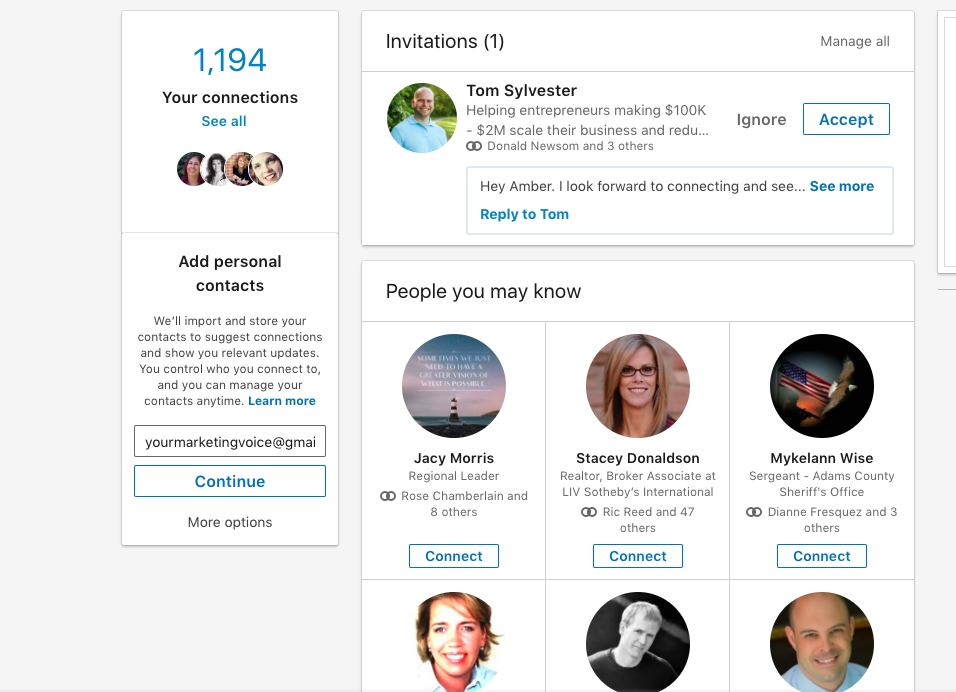
In this image below you will see that someone asked me to connect with him, I do not know him personally, but he did send a message along with the connection. LinkedIn will also show you “People you may know” similar to Facebook. These people show up based on your profile and mutual connections.
Here are a few ways to be able to connect or invite people to connect with people on LinkedIn:

  • If you know a specific name of the person you want to connect with, you can search for them and find their profile and then click connect.
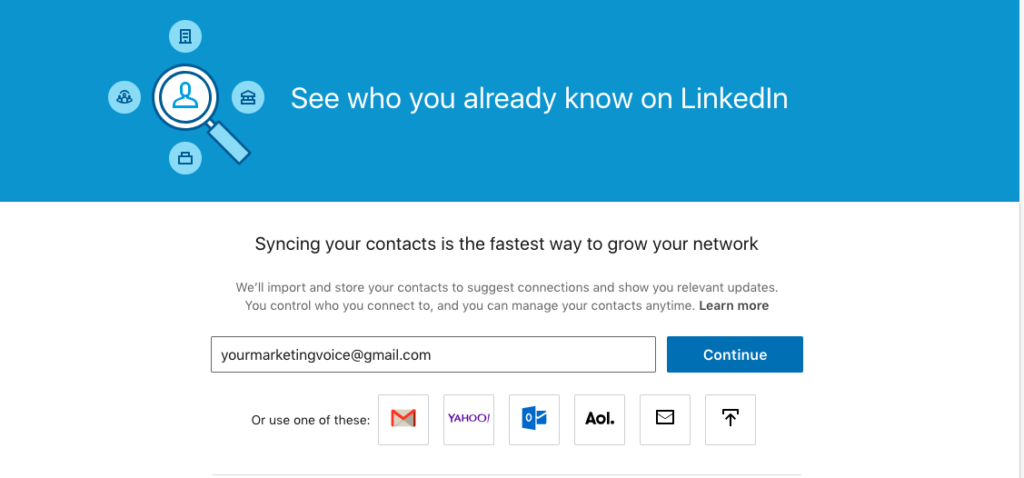
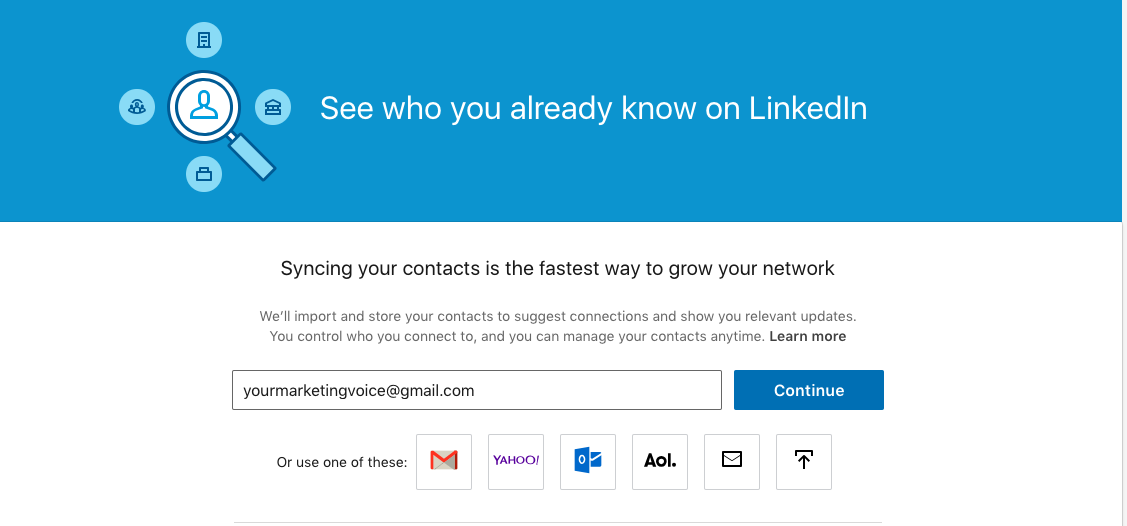
  • You can also upload your email list or contacts from Gmail, yahoo, outlook, etc.
  • Then as I mentioned above looking at the “People You May Know” section and asking people to connect through there.
    NOTE: If people have asked to connect with you and you have pending invites they will appear on the top bar on your LinkedIn account next to “Network”
Again, we highly recommend before you go connection crazy that you craft together a short, simple to the point message of why you want to connect with that person and send it along when you ask to connect, let me show you:

What’s Next?

It is such a great feeling when you have your LinkedIn profile updated to 100% and then when you create your company page, Showcase pages and have started to add connections, but what will make people want to connect with you? CONTENT! Be sure to be consistent as we have spoken about. In our next blog, we will be talking about groups, article and how to prospect on LinkedIn to take your profile to the next level!

If you need some help setting up or company page or creating the right size graphic, please let us know!

Interested in learning more? Take a look at these articles:

Creating a Newsletter with MailChimp

How to Set up your WordPress Website on Bluehost [Ultimate Guide for 2018]

Instagram: An Introduction to Instagram for your Business (Plus Download)
 

how social speak was born

At the end of 2017 we, Caitlin & Amber, said that 2018 was going to be a year of change. Sometimes you just know in your gut that something is going to change. We knew this change was going to be for the better, we just didn’t know what the “change” would be!

For 7 years of being in business together and on our own for 10 years, we have worked hard at building our client’s brands, products, online communities, and businesses.

We are really good at what we do! The only problem with building everyone else’s businesses is you tend to put yours on the back burner.

Oh, we will make those videos later, we will write those blogs next week, oh, yeah that’s a good idea to have a coaching program – maybe next year . . . .

Long story short that “next year” came it’s called 2018!

We LOVE, LOVE, LOVE working with our clients and most of our clients have been with us since the beginning.

In December, Caitlin and myself had a talk about what we wanted to do differently in 2018.

How could we take our business to the next level?

We love being a resource to our communities and we both know so much about social media and digital marketing. We wanted to up our game and be able to provide MORE to our tribe!

Um, LIGHTBULB moment, it clicked for us.

What about if we create a website, a new educational platform, where our tribe can go for FREE, YES FREE, to search and find all the information they wanted to learn about social media and digital marketing . . .

Sounds great right?

Caitlin and I like to jump in feet first and not look back. When we have an idea, we are set on it we are making it happen!

We created a new website called Social Speak Network with a TON of information for our peeps, but we wanted to take it one step further . . . with all this awesome content, videos, and downloads, people were still asking on the “How-to.”

They love all the content but wanted to learn more hands-on how to implement it into their business and be held accountable for their digital marketing strategy.

That’s why we created our “Small Group Online Coaching Program” – a 6-month program for 3-5 business owners to really dive deep into their social media and digital marketing strategy, learn how to be successful online, grow their tribe, and learn new things!

Now, this is something that totally feeds our soul!

We are so very passionate about teaching others about social media and digital marketing and all the fun and cool things you can do! Isn’t awesome when you find your true meaning, your purpose, what you are supposed to be doing?

We want to help you create that too!

So, what does this mean for you???  What are we looking for? 

-> We want to invite you to our Facebook Group, this is the starting point, we post great information every day, you can ask questions, engage with other business owners and grow your tribe through this group!

-> We would also love your support if you would subscribe to our YouTube Channel 

-> We would LOVE to offer you is a FREE 30-minute consultation to answer any social media or digital marketing struggles you have been facing. You can email us at SocialSpeakNetwork@gmail.com to set up a time!

Interested in learning more? Take a look at these articles:

A day in the life of an Entrepreneur

Reaching and Attaining your Goals

How To Work SMART In 2018

How to use KWFinder

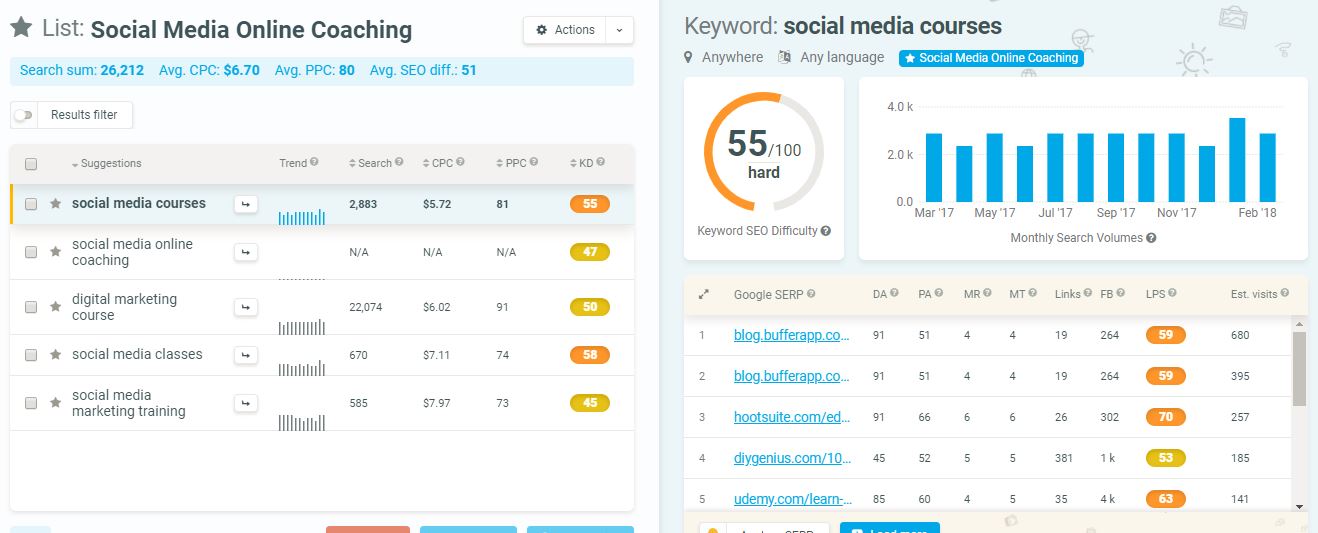
We spoke briefly last week about KWFinder and how easy it was to find the correct keywords for your business. Knowing your keyword phrases, also known as long tail keywords will help you create that strategy for your blogging and SEO. Keyword Finder is a powerful tool to help you discover your niche keywords.

KWFinder helps you discover that sweet spot with keywords that many people are looking for but have a low competition level, meaning it would be easy to rank higher on Google for those mid to lower keywords.

The one thing I love about KWFinder is it simple and easy to use. For someone like me who is such a visual person I love the how they show you all the data you need, the ranking, what other sites are using those keywords and what their domain and page authority is. This tool takes the complexity out of keyword research. Be your own keyword expert!

First Step with KWFinder

This is a free tool, but you are only allowed to have 3 FREE searches per day. First thing, create an account here. If you really want to take your SEO and blogging to the next level and really want to dive deep into finding your long tail keywords, I would suggest looking at their monthly or annual pricing.   After your 3 free searches, you will have to either upgrade your plan or wait 24 hours.

The second Step Start Searching for Your Keywords

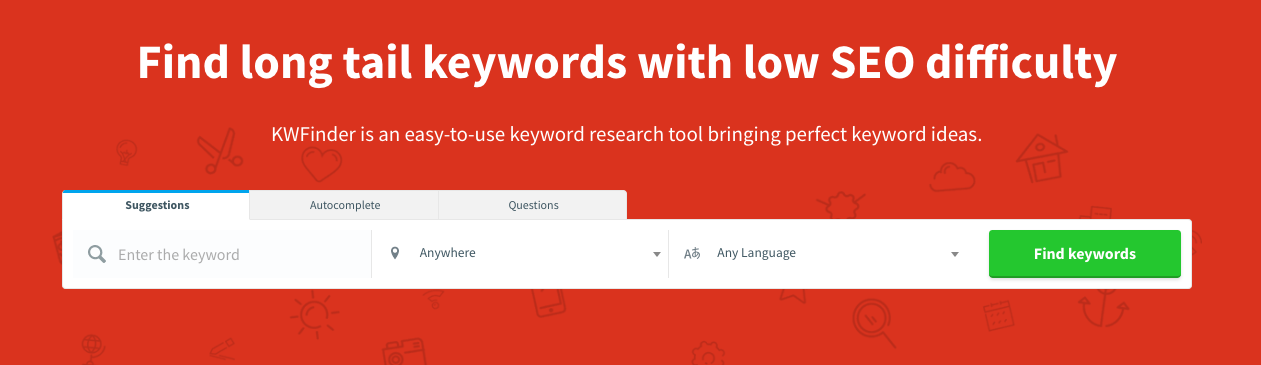
It is very simple, on the homepage of KWFinder there is a box that says “Enter Keyword” this allows you to search for the keywords you think are important to start with. You can also choose a specific location and language. If you are a local business then the location option would be very beneficial for you. When you are local you want to know what your community is searching for to make sure you re providing them the correct information. Or even if you sell online but only is the U.S. that is something to think of as well. Some of you may be ahead of the game already and have a list of keywords, maybe from an old website company, coach or just your own research, you can upload those into KWFinder, it has to be a CSV file.

One thing to remember or be aware of when you are using the location feature when you type in your keyword and the location you are wanting to search you would then click find keywords and KWFinder will show your results on a single screen. It will then display all sorts of data for you, such as the difficulty level of being able to rank for that keyword, cost per click (CPC), search volume.

The Third Thing, What does this all mean?

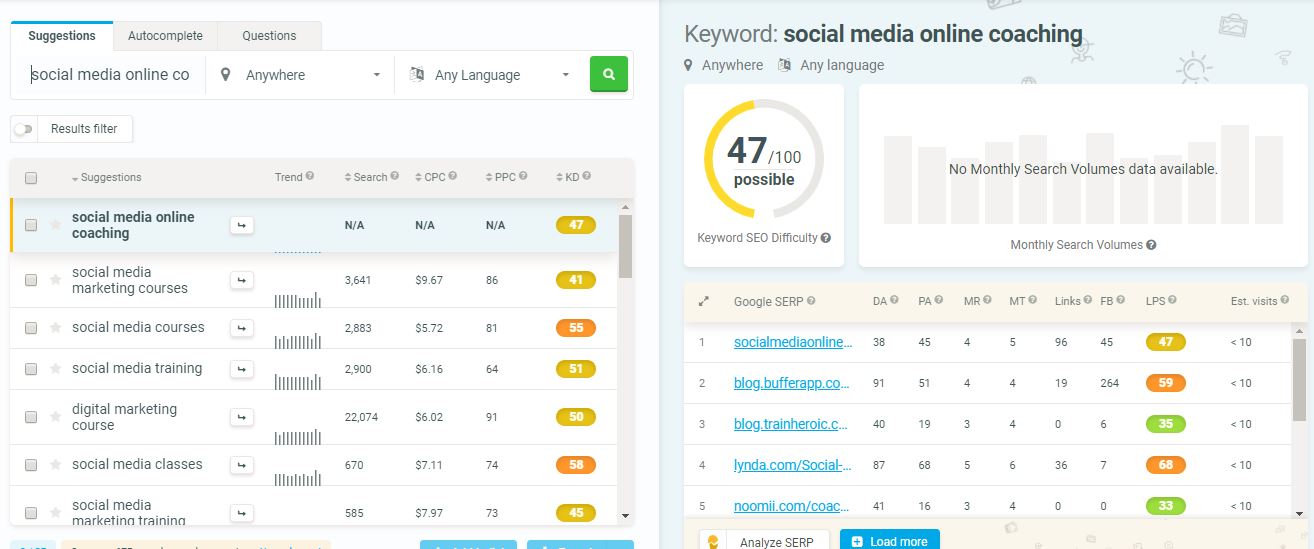
How hard it is to rank for that specific keyword.  You will see green, yellow and orange buttons with a number in them, ranging from 15-63 or even higher. This is really important for your strategy. If the keyword is in orange which is usually over 45 that means it is going to be very difficult to rank on Google for that keyword. Your strategy at this point should be looking for the yellow and green keywords. KWFinder shows you different keywords that are similar to the one you searched for, it is also going to tell you how many people a month are searching for that keyword or long tail keyword.

For example I searched “Social Media Online Coaching” the ranking was 47 which is yellow meaning it is possible for me to rank on Google with that keyword, but if I wrote about “Social Media Monitoring” which is a 32 it would be easier for me to get on the first page of Goole or other search engines with that long tail keyword.

Here are a few things below that each search will provide you:
* What’s trending
* Monthly Search Volume
* Cost-Per-Click (CPC)
* Pay-Per-Click (PPC)
* Google SERP results

SERP Competition Checker

Get localized Google SERP results with KWFinder. The SERP checker is a Google SERP competitor analysis tool providing 45+ SEO metrics. (SERP= Search Engine Results Page)

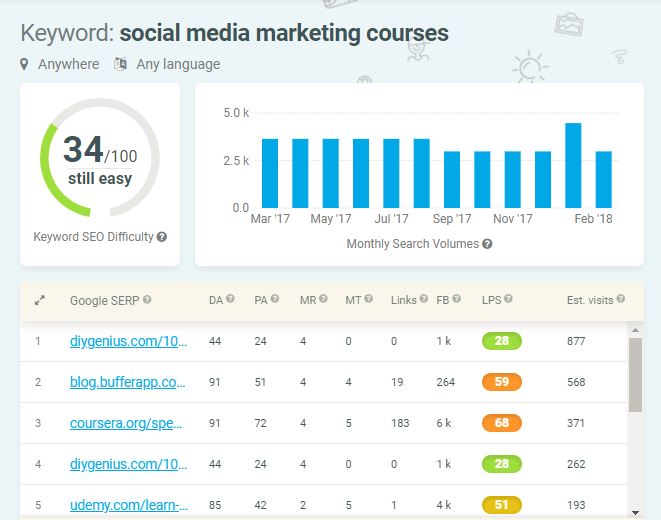
Another feature to look at when look at your keywords, on the right-hand side of the dashboard it will show you what websites are using those words and what the competition level is, the green, yellow or orange rankings. It will also display on each website their DA (Domain Authority) and their PA (Page Authority).

Domain Authority (DA) is a search engine ranking score developed by Moz that predicts how well a website will rank on search engine result pages (SERPs). …Domain Authority is calculated by evaluating linking root domains, the number of total links, MozRank, MozTrust, etc. — into a single DA score.

Page Authority (PA) is a score developed by Moz that predicts how well a specific page will rank on search engine result pages (SERP). Page Authority scores range from one to 100, with higher scores corresponding to a greater ability to rank.

Creating Your Keyword Planner

Once you have found the keywords and long tail keywords you want to use, you can create a list within your KWFinder account that you can save to help you manage your search efforts. You may want to think of different lists, categories of your keywords. For us, we may have a list that is “Social Media” and one that is “Digital Marketing Tools” the important reason about having different keyword lists is you will be writing different content on your website, think of the services you offer and how you can write blogs all around those different topics. Those are the keyword lists you need to create.

How to create a new list:

  • Select the keywords you want to add to a list
  • Then you will see “Add to List” click that button
  • Then enter your list name
  • And DONE!

This saves the list to your account, you can always add and delete keywords from that list as you need to. You can also download your list into a CSV file if you would rather do that. One thing to always remember when adding your keywords to your list, it is better to add the easy (green) and mid (yellow) to your list rather than hard (orange).

WrapUp

This amazing tool provides you a ton of powerful information to help you succeed with your SEO and Blogging strategy. In today’s digital marketing world it is important to always stay abreast of the hottest topics and trends in your industry and become even more of an expert than you already are. By utilizing KWFinder and all of its bells and whistles you will be able to find those relevant long tail keywords for you and your business, taking your digital marketing to the next level. This is an efficient way to stay on top of those trends and searches and will save you a ton of time in the long run!

Interested in learning more? Take a look at these articles:

Digital Marketing and Search Engine Optimization in 2018

Off-Site SEO

On-Site SEO

Has anyone called you a control freak? I get that all the time! I feel as a business owner it is super important to create a schedule and stick to it, allows yourself some grace to adjust things, and we all know life happens and things come up. I always say stick to your schedule at least 85% of the time. So, yes I do feel like I am a control freak because I like my schedule! From home life to business.

My mom and niece were just in town for a week and I was able to get most of my work done before they came so I could enjoy time with them, but I still had a schedule each day of the things I HAD to get done, like write my blog, do a video, client work etc. I gave myself the grace to have fun and I got my work done before, as soon as you fall off the scheduling wagon it is so hard to get back on track. Think of your schedule like a diet, how many times do you start a diet and do great for a week or two and then something comes up and we fall off, it then takes us weeks, sometimes months to get back on track. By creating a schedule for yourself and sticking to it, it allows your business to run so much smoother. You know what needs to get done each day when you have time to check emails, work on projects, play with your kids, run errands, videos, all those things as an entrepreneur we have to do each day. You are creating a plan for success!

Here are 5 reasons having a schedule are important:

1. Your S.M.A.R.T Goals become real

Remember back in January we spoke all about S.M.A.R.T goals and what we wanted to accomplish for 2018? If one of your goals was to increase your clientele by 20 clients, or increase your video subscribers to 1000 then on your schedule you should mark out time to network, make calls, send a newsletter to past clients or potential clients, make videos and ask people to subscribe. By putting something on our schedule that we want to accomplish helps us succeed with our goals.

2. Stop spinning your wheels

Do you ever feel like you have this imaginary list in your head of things you need to get done and then 5 minutes later you forget and you are walking around for an hour saying “What was I suppose to be doing?” I know I can’t be the only one this happens too. Within your schedule create a ‘To-Do’ list this can be a daily ‘To-Do’ or weekly, whichever feels better to you. This then allows us that space to write down those things we need/want to get done and we stop spinning the wheels in our head and forgetting.

3. Life happens – be prepared

We all know as business owners life happens, a child is sick, an unexpected event pops up, maybe you are not feeling well. Anything can happen, by being properly organized it is easier to adjust your schedule. When you are able to pre-plan and pre-work to get things done earlier you are allowing again that grace period of these unforeseen life events that come up.

4. Everyone is on the Same Page

When you are able to create a well-crafted schedule for personal life and business life everyone can be on the same page. Each person knows what they need to do and when. You know what needs to be done to accomplish your goals and maybe what your team needs to do or even family. You are creating the foundation for your business and on that schedule or plan, you are also setting guidelines for others. I know having a schedule or plan doesn’t seem like such a big deal, but when you are a business owner and entrepreneur a lot of fun, shiny, new things that I like to call SQURRIELS show up and DISTRACT YOU!

What I am getting at is having your schedule and plan set you know what you need to do and when and so does everyone else. End-goal . . . less stress for you!

5. Keeping Track

Again I know I can’t be the only one who can’t remember what I did last year or even last week at some points! When you have a schedule, whether it be a day planner or Google calendar or even a Google sheet like I use, we write down all of our meetings, activities, and To-Dos. This allows us to track what we were able to get done each day, week, month and year. This makes it easier for you to keep track of your goals. Going back to point 1, if we wanted to get 1000 new subscribers to our YouTube channel and I looked back at our 2018 schedule or plan I could see I did 5 videos per week and that increased our subscribers past 1000! Or whatever your goal may be.

It is important to add your benchmarks to your schedule for your annual goals as well, to make sure you are sticking to them and are on track. Schedule them out, let’s say June we want to have over 125 videos on our YouTube channel and 500 subscribers. When that event pops up on my Google Calendar I would know YES! I am on track and have surpassed that goal, or I need to work harder to make sure I meet the goal before the end of the year.

Tools to help you with your scheduling

Google Calendar

Google Sheets

Wunderlist

Todoist

ScheduleMaker

What should every entrepreneur have in their business-

We are so excited to have had Russ Barnes on our radio show August 12th, 2017. He is such a remarkable person! Here are just a few topics we covered:

1) Customer, customer, customer – without the customer you are out of business.  Listening to the customer will help you improve your product or service.
2) Message, message, message – in order for customers to find you, they must believe that you can solve their problem in such a way that they are willing to pay for the solution.
3) Value, value, value – the more value you can deliver, the less resistance you will experience when acquiring customers.
4) Target market – be a big fish in a small pond. The idea that EVERYONE can use your product or service positions you as a tiny fish in a huge ocean.  When you try to appeal to everyone, you appeal to no one.
5) Decision making – successful business is certainly what you do, but it is more effectively achieved by how you think about what you do. Resource management is critical.
6) Progression – understand what it takes to get from where you are to where you want to be.  This is your growth strategy.
7) Advisors – build your team of advisors carefully.  No one develops a successful business alone. Cooperate and collaborate, but compensate. No one wants to work for free.
8) Earn money to hire experts. Focus on what you do to make money and then pay experts to do what they do best to help you maximize your time and rapidly achieve outcomes.  Know the calculation that will tell you whether you can hire an expert and when you can hire the expert.
9) Don’t get complacent. Never stop learning.  Perhaps we can talk about books, magazines, webinars, libraries, incubators, or other educational resources that business owners can access for little to no money.
10) Love, love, love what you do or find a way to transition into something that you do love.

Here is a little bit more about who Russ Barnes is:

Russ Barnes, USAF Colonel (retired), MBA, MS

Colonel Russ Barnes is the CEO and Senior Business Advisor to Entrepreneurs and Executives at Systro Consulting, an organization design firm specializing in small business development.  He has more than 30 years of experience in organization development drawn from military service, franchise ownership, academic programs, and strategy consulting, specifically with small businesses.

As an aviator, Russ flew combat missions during Desert Storm and later held senior leadership positions in several higher headquarters staff organizations which include Air Combat Command Headquarters, the Pentagon, Strategic Command Headquarters, European Command Headquarters, and Central Command Headquarters.   He has received the Legion of Merit, Air Medal, Defense Meritorious Service Medal and more than 20 other peacetime and wartime decorations.

After retirement from the military, Russ grew his franchise territory from zero to profitability in less than three years.  His growth was based on a clear vision, building an effective network, consistently delivering a quality product and maintaining a relentless focus on customer service.

Russ is a graduate of the Referral Institute Certified Networker program where he received extensive training in referral marketing. He received his Bachelor’s Degree from Manhattan College (NY), his MBA from Embry-Riddle Aeronautical University, and his Master of Science degree in Strategic Studies from Air University.  He is currently pursuing a PhD in Organization Development at Benedictine University.

Contact Info:
Email:
Russ@systro.org
Website: www.systro.org
Social media: www.linkedin.com/in/rcbarnes
Phone number: 813 520-5770

on and offline marketing


Here are 3 social media tips to help your business:

  • How should your online and offline marketing efforts work together?

It is important to have the same branding online and offline. For instance, your website, social media and even email signature should have your logo; same colors, and even your slogan should be the same as your print media. What people see on your marketing materials, ads etc., should look and feel the same.

If you use different logos or colors in your email signature, website, brochures and business cards, people won’t recognize your brand. You may start to lose customers. It’s all about the brand message and being consistent!

  • Marketing Materials – What should you have on them??

Your marketing materials are all about the first impressions, right?  You want to make sure your marketing materials are simple and, yet, effective.  So, let’s talk about what makes your marketing materials effective.

The purpose behind your Marketing Materials:

  • Inform customers and potential customers about your business
  • Attract more customers
  • Maybe get the word out there about an upcoming event, conference, workshop you are hosting
  • The BIG thing is to create a positive customer experience

What needs to be on all your online marketing and offline marketing materials:

  • Business Name
  • Business Logo and Slogan
  • Business Phone Number (Is it ok to text?)
  • Business Email Address
  • Business Address – if you have a physical location
  • Business Website URL
  • Social Media links to Facebook, Twitter, instagram, LinkedIn, etc. Wherever you are consistently posting is what you want to promote

Here is a great resource we will add to our website that talks in more detail about how to create effective marketing materials: http://inkbotdesign.com/effective-marketing-materials/

  • Monitoring your metrics – how do you know what is working?

As a business owner, it is important to know that your efforts are paying off! In the social media world, we would love to be able to say, if you post 3 times a week with these types of posts you will make this much money . . . BUT it doesn’t happen like that, unfortunately! SO, social media works different for each business.

A few resources that you can monitor to see what is working for you would be:

*Google Analytics – This is a tool that is embedded into the backend of your website and monitors all traffic that comes to your site; where they are coming from, such as country, state, social media platform, email links, and so much more. Google Analytics also tells you how long people are staying on your website, what pages they are looking at, and your bounce rate; are they getting what they want from your site? This is a great big picture tool to monitor!

*Facebook Insights – It is important to look at your Facebook Insights on your business page on a monthly or even weekly basis, just to see what posts are getting the most engagement, what time did you post it, what did you post, etc. This will help you figure out what types of posts you should be posting and what times, so you are reaching your audience when it’s the best time for them!

* Buffer and Hootsuite – These are two FREE resources as well that help give more of an overview of all your social media metrics, like Twitter, LinkedIn, Google+, Facebook, Pinterest, so you can see everything in one area – what is working best for you, from a social media standpoint; then you can see what the numbers look like and if you should continue with each platform.  You might want to consider letting one go or spend less time on one.  Remember, you always want to focus on where YOUR target audience is.

If the social media numbers and statistics that we are seeing already for 2016 are a glimpse into the future for 2017, you are going to want to get in the game!  It’s time to take the Social Media landscape seriously and apply it to your business for maximum growth and exposure.

Check out these numbers from SmallBizTrends.com

General Social Media Use

  • 97% of online adults aged 16-64 say they have visited or used a social network within the last month.
  • Internet users have average of 7 social media accounts.  This is a HUGE jump from 2012 where most people reported having only 3 social media accounts.
  • 8 out of 10 internet users visit and/or use social media from their mobile devices.
  • Users spend a minimum of an hour on social media per day (I think this number is too low!)

These numbers tell us that Social Media is not only increasing in popularity but it also tells us users are finding tremendous value in it.  What does this mean for businesses of any size?  It means we need to embrace social media and start using it effectively.

Which Social Media Platform Should Businesses Concentrate On

create-865017_960_720Many industry professionals will tell you two things when it comes to where you should be spending your time as a business when it comes to Social Media.  They will tell you:

  • Go where your target customer spends their time
  • Focus on 1 Social Media platform and get comfortable with it before you add more

While I agree with what other industry professionals advise, I also believe this is one Social Media powerhouse we cannot ignore.  Facebook.  Have you noticed, slowly but surely Facebook is adding all the most popular features each of the major Social Media players.  Here is what I mean:

  • Live video was huge when Periscope came on the scene.  Facebook saw the value and created Facebook Live for its users.
  • Simple, to the point text is what Twitter is all about.  Facebook now amplifies short text with a larger font size so it stands out in your news feed.
  • Instagram is wildly popular with its highly visual platform.  Facebook purchased Instagram.  Now Facebook advertisers can promote posts from Facebook to Instagram without even having an Instagram account!
  • SnapChat is highly popular with its disappearing posts.  Instagram (owned by Facebook) has embraced the same technology through Instagram Stories

Plan Of Action

computer-768696__180Over the last 2 years or so, Facebook has added an incredible amount of features and nuances to its platform.  For most, it is hard to keep up with all the changes.  It seems once you have it down, Facebook amps up its game, forcing you to learn more.  Many times, your focus is taken off your business and craft to learn the next Facebook marketing technique.  Learning the new features of Facebook is a necessary evil if you are the person in charge of maintaining the social media footprint of your business.  While being in charge of executing your business’s social media content seems like a good plan, it can backfire.  More often than not, businesses who manage their own social media accounts are:

  • Inconsistent with their presence and message
  • Tend to be overly pitchy or “sales-y”
  • Misuse the functions of the social media platform
  • Often post just for the sake of posting in order to have some sort of presence

The best defense to social media marketing is to spend the time to craft an annual social media plan complete with a budget and measurable goals.  Once you have the plan designed, outsource the work.  The people you outsource your social media plan to can generally do it faster and with better results, freeing you up to do what you originally got into business to do in the first place!

So You Think You Can Get Along In Business Without Social Media

office-620817_640Think again!  Before social media hit the scene, to gain credibility in the marketplace, you had to have a website.  Today, it is extremely important to have a website PLUS have presence on social media.  Here’s why:

  • Studies show consumers check out social media first before even going to a company website. 
  • Consumers engage in “social listening” watching and reading how people react to a company or product
  • Social Media gives consumers the opportunity to quickly engage and build a relationship with their favorite brand or product
  • Potential customers can get real time, personalized responses from companies through social media

What will your social media plan look like in 2017.  It is not too late to start thinking about it now.


YouTube is now making it difficult for users to remain anonymous when trying to post negative or inappropriate videos and comments. Currently the site is pushing for users to use their full name when uploading videos or making comments. Rather than showing a pen name that links to their YouTube account, the site would prefer to link to the user’s Google+ account, showing their picture and full name.

This new move by YouTube will attempt to prevent any hurtful, inappropriate or negative comments to be posted onto the site. In a YouTube company blog, it was stated that YouTube is, “giving you the ability to change how you appear on YouTube, with the option to use your Google+ profile on your YouTube channel.” This idea launched after the option to have one Google-wide identity seemed popular among new YouTube users when it was first offered back in March. Now the site wants to extend this option to its current users as well.

Now when posting a comment on YouTube, the site will ask if you want to use your full name. If you decline to use your full name, you must select a reason for doing so, such as, “My channel is for a product, business or organization.”

YouTube has stated that, “We’ll help you review your YouTube content before your full name starts to display.” Furthermore, if a user changes their mind, they are able to return back to their username.

This new information about YouTube’s commenting system was released just about a month after a YouTube developer at Google’s I/O conference claimed that the website would be, “undergoing some changes to prevent bullying” in the site’s comments section.


YouTube is hoping that this new change will encourage users to think twice before posting an inappropriate comment. And for users who have made comments that they now regret posting, the site has a ‘Review my content’ section to view every video and comment they’ve ever posted to the site and decide if they want those videos or comments to be associated with their full name before committing to the new change.


Google’s newest widget, Google+ Badges for brand pages, lets brands use Google’s social network to promote their presence.

Similar in form and function to Facebook’s Like Box social plugin, Google+ Badges lets users either +1 a webpage, or add that webpage to their Google+ circles. While it doesn’t have Facebook’s ability to show your friends’ faces first, the widget does display the faces of other users who have +1ed the webpage.

Businesses now have the ability to create a strong presence on Google’s growing social network thanks to the launch of Google+ Badges that came alongside the development of Google+ Brand Pages.

Another feature of Google+ Badges is that it contains a snippet of code connecting your website to your Google+ page. In an e-mail to developers, the company stated, “In addition to helping us better index your Google+ page, this snippet will help you show more personal recommendations around the web by linking your +1’s on sites, your Google+ page, search and display ads.”

Additionally, Google has revealed that the badge must be included for the Google Direct Connect feature, which makes it possible for users to find a Google+ page from a Google Search. By typing in “+”then the name of a brand in Direct Connect, the search results lead users straight to the company’s Google+ brand page.

Given the success of its Facebook counterpart, this widget is certainly a necessary component for Google+. Even though it doesn’t have the benefits Facebook offers with “Open Graph,” the Google+ Badge definitely gets the job done. Google still must work to convince both users and brands that it is a social network ideal to do business through, but this Google+ widget will be of great importance in building the relevance of Google+!