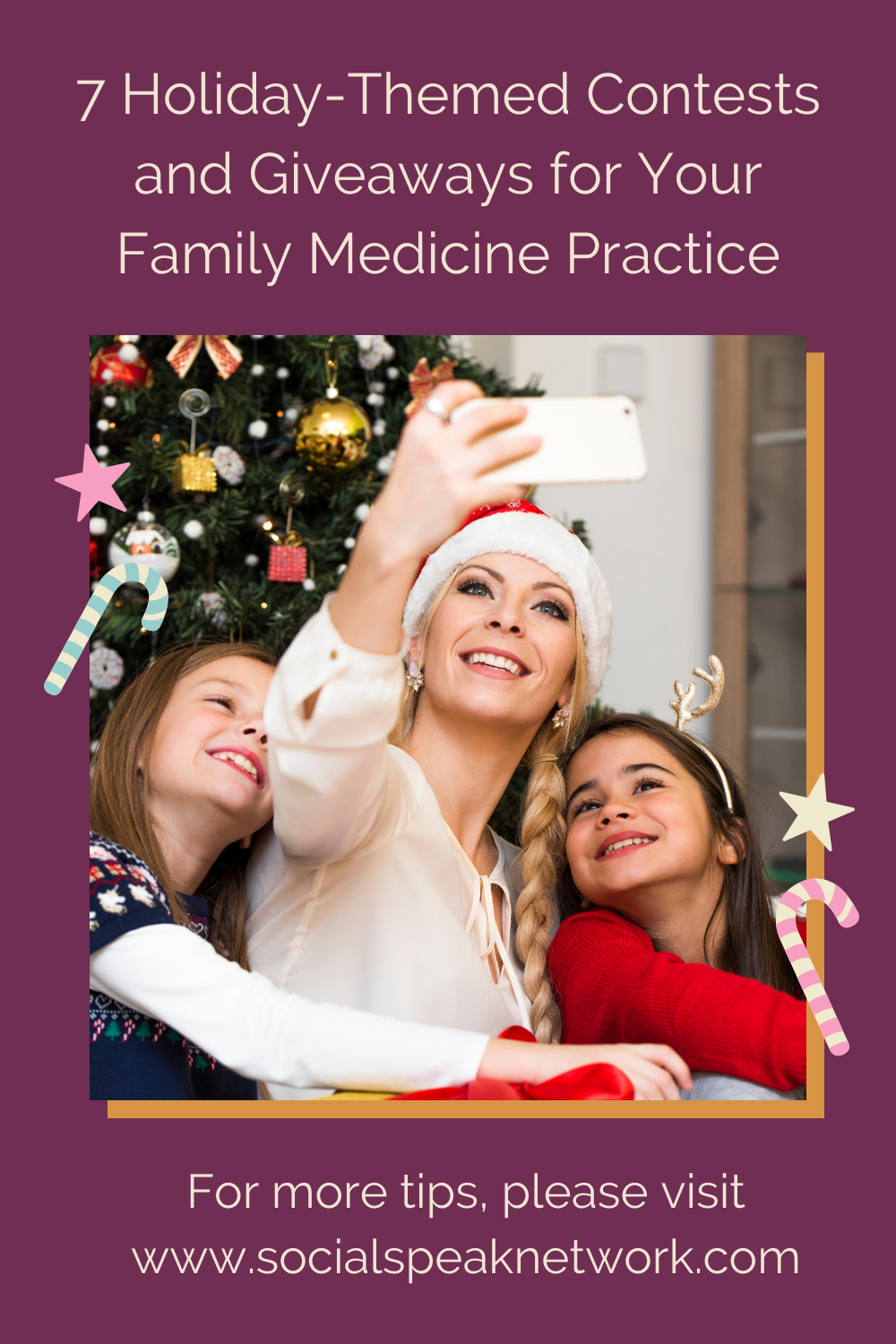

The holiday season isn’t just important for retail businesses, it is also a great time for healthcare providers to revamp their digital marketing strategies.
Most people who have put off elective procedures are now scrambling to slip in final treatments and appointments before the year ends. Since they are typically seeking non-urgent care, they have the luxury of shopping for healthcare. By staying active on social media, you stay on top of mind.
There are many ways you can promote your practice to reach these patients in the coming weeks. Hopefully, these holiday marketing tips will help you get your gears turning and start driving results your way.
Festive social media content
Create a set of fun holiday-themed polls for your audience. Nothing sparks engagement like asking for people’s opinions about certain topics. This will help increase engagement and encourage other people to join in on the conversation as well.
Also, consider creating a series of holiday tips that would benefit your audience. If you’re an orthopedic surgeon, you can share some injury prevention tips. Remember, a lot of accidents happen over the holidays. If you’re a dentist, you can create a series of healthy teeth tips. If you’re a nutritionist, you can share some healthy holiday recipes.
Film a holiday marketing video
This is a great time to spread some holiday cheer and capture that cheer on video. You can upload your videos on Youtube, Instagram, or Facebook.
When creating video content, it is important to think about the nature of your business and the message you’d like to send off to the world. If you’re a pediatrician, you can dress up like Santa and share stories and tips with the little ones. You may also record your holiday greetings for your fans and followers. If you love decorating your office, you may also share a video of it.
Holiday email marketing
Studies suggest that email marketing is one of the most effective tools for brand awareness, retention, and new customer acquisition. Plus, it’s easy to implement and super affordable. Use this to your advantage this holiday season.
Send out a newsletter to patients to recap the year. You can make this as simple or extravagant as you want. But make sure to make it personal.
You can also share healthy tips with your email subscribers. You may offer tips on how to stay healthy through the holidays or share healthy holiday recipes. Now is also a good time to remind patients to book last-minute appointments, so they can take advantage of deductibles before the year ends.
Host a social media contest
Contests and giveaways are a great way to create buzz around your practice. With the majority of people spending more time at home, they’ll have plenty of time to play games and engage with holiday-themed contests.
For your holiday contest, you have the option to do one big giveaway or many small ones. If you wish to go with the latter, consider doing 12 days of Christmas giveaway. Post one prize over a span of 12 days. Since the contest lasts for 12 days, people will anticipate your posts, creating hype for the last days with the larger prizes.
Invite your audience to submit their New Year’s Resolutions
The end of the year is the perfect time to reflect on how the entire year went by. This is also a great opportunity to think about improving certain aspects of our lives, including our health.
As we bid goodbye to 2020, encourage your fans and followers to share their resolutions for the coming year. Hopefully, it will encourage them to improve their health habits. You, on the other hand, can use this as an inspiration for your content.
Give back to the community
There are lots of people who are facing hardships right now due to the pandemic. The holiday season is all about sharing and giving. Use your platform to highlight the act of charitable giving.
Highlight a cause your practice is involved in. If you don’t have a cause you support, consider finding one. You can talk about the charity you support on social media and let your audience know that a certain amount of proceeds from your revenue during the holiday season will go to charity.
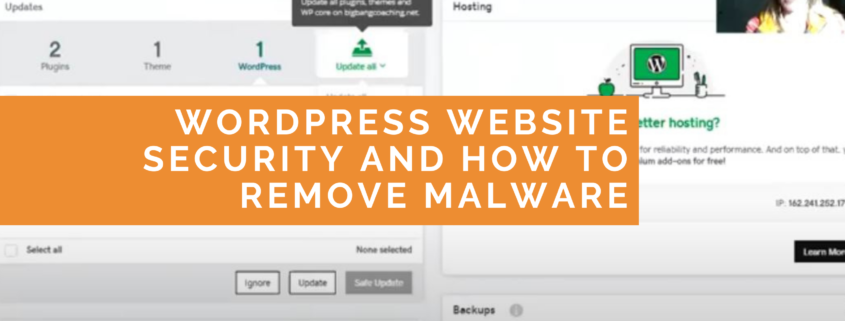
Today we are going to be talking about website security. This includes how to keep your website up-to-date, as well as what to do if you do find that you have malware on your website. We are specifically talking about WordPress websites here, and I will be sharing my screen, so if you are listening to our podcast, please head on over to socialspeaknetwork.com and check out the related blog post or over to YouTube just to watch the video. The first thing that we are going to be talking about is backups and tools to utilize for backing up and why it’s important. Then we are jumping into updating your WordPress files, removing unused themes and plugins, adding a layer of security, and finally, if you’ve been hacked, what to do.
Use GoDaddy Pro, FileZilla, or Your Hosting for WordPress Backups
The first piece of this is, whenever you are talking about updating a WordPress website, you should make sure that you have backups of some sort enabled. So this could be manually going into your hosting account, downloading a copy of the database, as well as taking a copy of everything from the file manager and storing that on your computer, or you could utilize a plugin such as BackupBuddy to take a backup, or you could signup for a backup plan through your hosting account. And this might be included in your hosting, a lot of times hosting providers have backups actually included within their hosting plans, or you can do what we do for all of our websites that we manage, where we have another layer of protection through GoDaddy Pro.
This is a tool that is through GoDaddy, and I know a lot of you listeners and a lot of our clients have chosen not to work with GoDaddy for a variety of issues. There are plenty of other hosting companies out there, and we thoroughly enjoy working with a lot of them. This tool, however, is a free tool and it allows us to easily see all of the websites that we manage in one central location and see which plugins need to be updated, themes that need to be updated, and to do the backups directly through there. So we are going to be talking about GoDaddy Pro a lot. So, let me actually just jump in and I’m going to share my screen.
GoDaddy Pro Dashboard
Here we have the GoDaddy Pro dashboard for our website, for Social Speak, and I do feel kinda bad because I did have 11 updates for our plugins and one theme that I needed to update on our website, but I already recorded this video and realized I did not have any sound turned on. [chuckle] So you’re not going to be able to see me actually update our website here, but that’s okay. We all make mistakes, right? At least it’s all up-to-date now. But directly within the GoDaddy Pro dashboard, there is this backup link here, so if you were looking to update your website head on over to GoDaddy Pro and link it up to your website, your WordPress website. Now, if you do have a GoDaddy account for your hosting, you can do daily backups for free. If you do not, then you can do monthly backups for free and then upgrade if you do need to clone your website or restore a backup or download the backup or anything like that. But typically for a small website that isn’t really being updated frequently, a monthly backup is fine, and updating the plugins and theme files monthly is fine.
Daily and Monthly Backups for WordPress
Here though, I did just want to show you that we have the option for daily backups. We have some clients who are posting multiple blog posts, or updating multiple pages, adding new resources every single day, and so for them, it’s really important to have this daily backup. For those websites, we also do recommend having a backup plan in place directly through your hosting account as well, and that’s just because sometimes if the website has completely broken, it’s easier to update directly from the source rather than from a third party tool. Those plans though, can cost, I don’t know, $5 to $15 to $25 really, depending on what service and what hosting company you are working with.
The first step, again, of making sure that your website is secure and up-to-date is adding these backups. The next step is making sure that all of your WordPress files and theme files are up-to-date. The issue here is that if something hasn’t been updated recently, it opens the doors for hackers to go in and install malware. You want to make sure you have the most up-to-date PHP, and that also causes old themes and old plugins that haven’t been updated not to be compatible anymore. So this can be bad for a lot of different things, including for search engine optimization, and user experience on your website, something might just break. So you want to make sure everything is up-to-date.
I’m going to quickly jump to another website here. This is just another website that we have here, and as you can see, there are two plugins, one theme, and then the WordPress that all need to be updated. So, I’m going to just do a safe update, takes a backup, does the update and then turn, does another snapshot, another backup with the most up-to-date files that are there. So this is kind of that easy way of doing that.
Keep WordPress Plugins and Theme Files Up To Date
Now, when I did that, you noticed that there was just one, two, two different plugins that needed to be updated. Now, if a plugin is really old or a theme is really old, it might not be supported anymore and the theme developers or plugin developers might not be updating it anymore. So a plugin that we recommend in selling on your website is this plugin condition. And so, what this will do, and I’ll zoom in on the screenshot here, is it will actually have a notice for the last time something was updated. And so, this one here, this numbers plugin, for example, was updated a year ago. So most likely this might not be as compatible with WordPress as a newer version of some sort of user enrollment management plugin. This might be a plugin that they are not keeping up with anymore.
Additionally, in this screenshot right here, you see that this plugin is not even being used. It’s not active on the website. So, as you’re going through your plugins and your themes and updating them, take note if there are any that you’re not actively using. So here, I would actually recommend selecting all of these plugins that are deactivated and deleting them. These are very clearly plugins that you are not utilizing on your website, you do not need that functionality, so get rid of them. Make sure that the website files remain clean and concise so that it removes any opportunity for the hackers to get in and for malware to get on your site.
The same thing goes with themes as well. So here, let’s see if I can jump over here, I probably can. So here we only have the Enfold Theme on this website, however, when you are installing a WordPress website, oftentimes it also installs the 2020 theme, the 2019 theme, the 2016 theme, and WordPress will install a lot of themes on that initial installation. You want to make sure that you delete all of those extra themes. So in GoDaddy Pro, again, you don’t need FTP access or anything like that, you can just go to themes, you select the theme, and then you delete it. This will keep those theme files nice and clean and remove more of a chance of malware being able to get on to your site.
Remove Unused and Risky Plugins
A lot of times we see a plugin like this one, file manager plugin. Basically, this creates an FTP connection directly through your WordPress dashboard. And so, it allows any administrative user who has access to your WordPress dashboard to have access to the actual file manager on your website. And we’ve seen that this plugin in particular, but other plugins like it, have opened the doors for hackers and for malware to be installed on your website. So we highly, highly, highly recommend that you remove this sort of plugin from your website. So, I mean, even just looking at the reviews of it, hacked, hacked, hacked, hacked. Highly unsafe, avoid malware.
Consider a Security Package from Your Hosting Company
We actually had this problem with this plugin in particular before as well. Would be a great thing to do if you’re just building the website, but remove it immediately if you can. So if you are looking to add a layer of security and protection onto your website, we recommend registering for a website security package through your hosting account, and again, depending on what hosting plan you have, this might already be included, but GoDaddy, for example, has one where it includes a firewall, so any site visitor has to go through the firewall and then they can view the site. And so, this just allows it to make sure that no files are being adjusted by folks who shouldn’t have access to the website in the first place.
If your site has been hacked, they also have this great plan… Well, I guess all of these plans do this, but the security plan, this Express plan, basically puts your site at the top of the line to have an engineer go file by file and remove all of the malware and then keep you up-to-date on the progress. If you’re just kind of worried about it and you don’t really know that you have malware on the site, the deluxe version is a great choice, and this is kind of a reactive sort of plan. The Express plan is more of a proactive plan, where it has all the bells and whistles, and again, puts you at the top of the list.
Monitor Website for Malware with Google Search Console
You can also monitor your site through the Search Console, as well as through, on pro sites, there’s the security plan as well. And so, whenever you want to add a new thing to the site, a screen like that will come up and a monthly check is free, and then if you want to do the premium one, it costs less than a dollar a month. So, very, very worthwhile. Some hosting plans, this website, I believe, is hosted on Bluehost, but some hosting plans, such as all the ones on GoDaddy, the security check is free. So you don’t actually have to even pay for the essential plan per month, you can just add to GoDaddy Pro and activate it for free.
One thing that we have found, however, is that malware is getting more and more advanced, so you’re not necessarily going to be able to even tell that you have malware through these scans. The scans might show everything correct, but if you click a link from Facebook on a mobile phone and it’s your first time visiting the site in a month, you might be redirected to another site, for example. Or if you click from Chrome versus Safari, versus Firefox, you might experience the malware. So it’s important just to make sure that everything is staying up-to-date and as secure as possible so that there’s less of a chance of even having to deal with malware, to begin with.
This time of year is a great time to really make sure that your site is protected and as up-to-date as possible as you’re moving into 2021. We do, however, recommend for next year, going into your website at least monthly and making sure all the plugins and theme files and WordPress files are up-to-date. Again, you can utilize GoDaddy Pro as an option, as a tool, to make sure that you also have the backups running and the security monitoring going on, but you can do it manually as well.
Contact Our Team For WordPress Website Help
If you have questions about how to do website maintenance, please don’t hesitate to reach out, or if you’re looking for support and someone to help with this website maintenance, we are here for you. We have very affordable plans for website maintenance to help you keep your site up-to-date and clean, as well as working its best so that you’re putting your best foot forward. Please head on over to the socialspeaknetwork.com, click that free consultation button and we’ll schedule a 30-minute call just to get to know you and your needs, and then we can figure out if we are a good fit for you. Of course, if this has been helpful, we’d love for you to subscribe down below and follow us on iTunes, as well as YouTube and check out our blog. Alright, thank you so much and I’ll see you next time.
https://socialspeaknetwork.com/wp-content/uploads/2020/11/wordpress-website-malware.png14402560Caitlin McDonaldhttps://socialspeaknetwork.com/wp-content/uploads/2018/04/SocialSpeak-Logo.pngCaitlin McDonald2020-11-18 13:55:362021-02-26 10:37:31Website Maintenance and Malware for 2021
Instagram has grown to a whopping 1 billion monthly active users. The competition on the platform is palpable. If you’re wondering how you can shine in this overcrowded space, you’re not alone.
Growing your Instagram following organically can be a challenge, but it’s not impossible. In this blog post, we’ll share with you some foolproof ways to take your Instagram game to the next level.
Get to know your target audience
The number one rule for marketing is to know who you’re posting for. You’re not supposed to please everyone. If you do, you’ll end up pleasing no one. Remember, the only truly valuable Instagram followers are the people who care about and engage with your brand.
Start by getting to know your audience well. Once you do, it will be easier for you to create content in a way that would appeal to the right people.
Don’t compromise on content
Today, people use Instagram not just to connect with their friends, but also to connect with their favorite brands and shop online. In fact, 80% of Instagram users follow at least one business account. That’s a lot of people who could potentially see and engage with your brand. followers to pause and engage with your posts.
Content is the lifeblood of your Instagram account, so make sure that you create interesting posts that will capture the attention of your target audience. Remember, there’s a lot more noise on Instagram feeds these days. If you want to stand out, then you need good quality content.
Consistency is key
If you have no plans of spending money and still curate a high-quality audience that will connect with your brand, then you need to post consistently.
According to a study that was conducted by Buffer, profiles that posted seven or more times a week gain more followers faster than those that post less frequently.
Start by planning your content strategically. Curate your Instagram feed and schedule them in advance. This will not only help you reach your target audience at peak times, it also ensures that everything fits together visually before you post.
Also, creating a consistent brand story and aesthetic is a must. You want to give your grid a consistent look and feel. Your posts should easily be recognizable at a glance.
Embrace Instagram Stories
Instagram stories are great because they help you stay top of mind for your audience. It allows you to maintain visibility in your followers’ feeds and gives you an opportunity to be creative with your content.
There is so much potential with Instagram stories to engage with your followers and attract new ones. Plus, there are plenty of fun features to experiment with such as chat stickers, questions, poll, filters etc. Utilize these features to keep your content fresh.
Use quality hashtags
Hashtags could be your best bet for growing a fast following on Instagram. Use hashtags in your posts or stories to expose them to people who aren’t still following you. The right hashtags can expose your image to a larger and more targeted audience.
Find out what hashtags are most popular among your target audience and your industry. It’s also a good idea to create a unique hashtag that reflects your brand. Don’t forget to use them in your posts and stories.
Collaborate with influencers
One effective way to grow your reach is following is to collaborate with influencers in your niche. Don’t be afraid to reach out to see if you can work together.
One survey suggests that 60% of users say they’d follow a brand on Instagram after seeing it promoted by an influencer they trust.
Run contests and promotions
If you want to boost your follower count organically in a short period of time, running contests is a great place to start. In fact, an Instagram contest or giveaway can help you grow your followers 70% faster than if you didn’t host a contest at all.
When running contests, make sure you’re giving away prizes that your target audience will feel compelled to have. Otherwise, you run the risk of attracting followers that don’t care about your business or the services you provide.
Spread the word
Most people have more than one social media account, so don’t silo yourself on Instagram alone. Talk about your Instagram account on other social media platforms as well. Think specifically about other social media platforms with the potential to reach a larger audience, like Facebook.
It is also a good idea to add Instagram links to your website. This is a great and cost-effective way to increase your fan base.
Final thoughts
There is no doubt that Instagram is a great platform for marketers and entrepreneurs. But with more than 25 million business accounts on the platform, it can be a tough battleground for those who do not have a well-planned growth strategy.
While it is possible to grow your Instagram followers organically, you need patience and consistency. Remember, building an authentic and engaged audience doesn’t happen overnight.
https://socialspeaknetwork.com/wp-content/uploads/2020/10/8-Ways-to-Grow-Your-Instagram-Following-Organically.png12602240Kathlyn Angeles-Timbolhttps://socialspeaknetwork.com/wp-content/uploads/2018/04/SocialSpeak-Logo.pngKathlyn Angeles-Timbol2020-11-11 08:00:552020-11-10 17:57:418 Ways to Grow Your Instagram Following Organically
Healthcare is an increasingly competitive field, and reaching new patients require a strong digital marketing strategy. One of the best ways to attract new patients is through social media marketing.
Social media and healthcare are a powerful combination. It can be a key place to share breaking information, raise public awareness about health concerns, and combat misinformation. When using social media for marketing purposes, it is important to keep in mind that social media marketing is more than just creating an account and then posting updates once in a while.
If you’re looking to do more with your healthcare social media marketing, we urge you to read on. Use these tips to start improving your strategy.
Facebook
Facebook is the undisputed leader of the pack, with over 2.3 billion monthly active users worldwide. Be sure to use it to your advantage.
Many healthcare providers we’ve worked with see great results with emotionally-positive images and videos. You want to ensure your images convey a positive experience and outcome for your potential patients. Also, use videos that feature your employees, a testimonial, or even a virtual tour of your office to interest prospective clients.
If you’re running out on content ideas, try posting information about preventive care. Remind your patients to get their vaccinations, mammogram, and annual checkups. Feel free to show your personality by posting photos of you and your staff engaged in healthy activities.
Facebook users rely on word of mouth recommendations and testimonials. They want to hear about other patient’s experiences before booking an appointment. Encourage happy and satisfied patients to spread the word by asking them to leave a positive review.
Instagram
Your bio is usually the first thing users see when they visit your profile. But with only a few short lines and one link available, you need to make it count. Write a bio to support your intended goal. You need to give your audience a distilled value proposition and impart to them why they should do what you want them to do.
Instagram is a visual platform that is designed for sharing stunning photos and engrossing videos, but it is a good idea to accompany your visuals with a great caption. Also, make sure that you post new and fresh content regularly. People may lose interest if you post duplicate content.
Try posting a variety of content to keep your visitors engaged. You can post a behind the scenes content, photos of your staff, branded quotes, or new services you’re offering.
Twitter
Twitter has the potential to transform your online presence and to help you connect with your patients on a new level.
A carefully composed Twitter bio can convert just as many visitors into patients. Your bio should aim not only to provide basic contact information but also to spark interest in your practice. Include your city and your website’s URL as part of your bio to make it easier for prospective patients to find you.
If you want to grow your Twitter following organically, you need to follow people on Twitter. Be sure to actively follow communities and patients who follow you. Research suggests that the number of Twitter followers you have starts increasing when you begin to follow people more frequently.
When posting on Twitter, be sure to talk to people rather than talking at them. Think of your audience as your friends and relatives. Your tone will go a long way toward defining whether your tweets welcome or alienate readers.
LinkedIn
LinkedIn is a uniquely purposeful platform for healthcare professionals. It provides an excellent forum for healthcare professionals to build trust and develop a position as thought leaders in their industry. Use LinkedIn to build new connections. Get social and start connecting with colleagues and other medical professionals. Join industry-specific groups so you can take part in discussions as well as interact with other healthcare professionals and prospective patients.
When writing content, be sure to tailor your voice to LinkedIn’s demographics. Instead of writing your posts as you would for Facebook, be sure that you’re gearing them toward the unique community LinkedIn offers. Remember, people who use LinkedIn are geared toward the world of business and professionalism.
Original content increases the likelihood of converting new leads. Write valuable, digestible content that educates your audience. Make sure, though, that you keep your content on-topic, professional, and authoritative. People want to hear your point of view as a professional, not something copied and pasted from your company blog.
https://socialspeaknetwork.com/wp-content/uploads/2020/10/Best-Practices-for-Healthcare-Social-Media-Marketing.png12602240Kathlyn Angeles-Timbolhttps://socialspeaknetwork.com/wp-content/uploads/2018/04/SocialSpeak-Logo.pngKathlyn Angeles-Timbol2020-11-04 07:00:152020-11-02 16:11:15Best Practices for Healthcare Social Media Marketing
This is our first podcast for our monthly Q&A series. In this podcast, we will go over – Why is it so important to do a social media audit and get rid of old accounts? – Does blogging help your SEO and how can you find keywords/phrases to blog about? – Why is it important to mix up your social media content? – What are a few tools we use to make our digital marketing life a bit easier? – Why should you be running Facebook ads, even if you feel they haven’t been successful before.
Today we are going to talk about growing followers organically on social media. This is something that our clients ask all the time: “How do I increase my followers? How do I increase my followers?” And you can do it organically. We’re gonna talk about Twitter, Instagram, YouTube, Facebook, and LinkedIn company pages today, okay so we have a lot to cover.
Twitter
With your Twitter account, you need to make sure you are tweeting consistently. So whatever that schedule is, make sure you’re sticking to it. Maybe it’s one time a day, two times a day, three times a day. Optimize your posting time, so try different times. Thinking of your ideal client or patient, when are they home? Usually, Twitter’s always done by your mobile device, so most likely they’re on Twitter from their phone, so think of lunches, break times, maybe if your patients are parents, maybe later in the evening. Get creative with that posting time. It doesn’t always have to be 9:00 to 5:00. It could be at 6:00 AM, it could be 9:00 PM. So playing around with those posting times and seeing where, what times, and what days you’re getting the most engagement. You may be thinking, okay because you’re open Monday through Friday that that’s when you need to post, but maybe doing weekend posts is a great idea as well.
Post visual content. So Twitter used to be just all text. It doesn’t have to be now. Upload images, upload videos, make it eye-appealing, and utilize hashtags. We will put in the description below different hashtag tools to help you, but Twitter and Instagram, even LinkedIn, they thrive off of those hashtags, and you can follow different hashtags. People are always searching certain hashtags, and those are the people they follow. So look for those hashtags, follow the people that are utilizing those hashtags, make sure that you are Retweeting. So have a list of people in your industry that are like-minded. Not necessarily competition, but maybe it’s news articles. So if you are a OB-GYN, you may wanna look at the Women’s Health Magazine and Retweet stories that they’re posting. Look at those resources and make sure that you are utilizing those Retweets because then their audience will start to see you as well.
One great thing with all social media is that famous little search button on every single social media platform, whether it’s in the right-hand corner or in the middle, up top. Usually, it’s always up top. With Instagram, there’s a search icon when you open up the mobile app and search for certain people. If you are looking for… If your office is only within a 25-mile radius in that location, search for people in that location. Start following more people, and set a goal to maybe follow 20 people per week. One thing with all platforms and this is just a personal preference, but when you’re following people, don’t go follower happy, okay, and what I mean by that is you’ll look at some accounts and they’ll say they’re following 1000 people, but they only have 60 followers. Well, that ratio, it just seems kind of spammy, so when you start growing your followers, follow people, but do ’em in low numbers. So follow maybe five a day, 20 per week. Figure out what that looks like and make sure that those people are following you back. The more people that you follow that are in your niche, in your target market, they’re more likely to follow you back. Okay. So those are just a few tips for Twitter.
Instagram
Let’s go into Instagram. So again, you’ll see these… The same tips are, again, staying consistent, making sure that you’re posting at least once a day on Instagram, utilizing different content, trying live videos, doing Instagram stories, doing Instagram TV, along with just your regular posts. Share content from other users. So it’s user-generated content, so mentioning them, “This is a great article or a great story from so-and-so,” and make sure that you are collaborating with others. So thinking of your referral partners, is there a way where you guys can share a post every week or a couple of posts per month? How can you work with your referral partners on a much bigger scale to be able to help grow each other’s social media? Look at your analytics. Find out… Instagram does a great job with letting you know who’s looking at your posts, what days are your best days and what times, and then also your demographics. So where are they at, are they male, female, what stories are getting the most engagement? So paying attention to your analytics so you can make sure you’re giving that content back to them and that they are engaging with it.
Engage with your fans. Every follower you have… And again, you can search for your target market and follow them, engage with them, take the time to like their posts, to comment on them. Also look at those resources, those same people that you are gonna be retweeting on Twitter or sharing stories on Facebook, look at what they’re posting and start commenting on it because if they are a resource that you like, again, if it’s Women’s Health Magazine, and you start commenting on their stuff on Instagram, their followers are gonna see those comments as well. So being active and engaging with these platforms is a great way to be able to increase your followers. Again, it takes time. It’s not gonna be an overnight success by any means, but to have somebody that’s dedicated to your social media to make sure that they are reaching those correct people, that is key.
Facebook
Facebook, you can always invite your friends to like your page. So that’s always a great starting point. And then really with Facebook having your icon on, and all your social media icons and your email signature, having a sign at the front desk, follow us on Facebook, follow us on Instagram, you know, because each person is gonna have that social media platform that they like, and they trust, and that’s kind of their go-to. So giving them the option of where they wanna follow you and engage with you as great.
So being able to put those signs up there, you know, on your marketing materials, but then with Facebook, working on having a little bit of ad spend, and you’ll see with especially with LinkedIn, as we get into that, you know, running those targeted ads, and having like campaigns following, follow our campaigns running, that’s where we’ve been able to see the most growth with our clients. And again, this is a paid feature, this isn’t an organic feature.
Start by inviting your friends and family to like your page. You’re always gonna have more friends because that’s where you most likely started doing Facebook was having a personal profile, and then you created your business page. So you could also have your employees of your company, also invite people to like the Facebook page. So consistency, inviting and then working on some of the paid options of boosting and running a paid like campaign to reach your target market.
LinkedIn
Going into LinkedIn, so you have your LinkedIn profile, and LinkedIn company pages are really growing. LinkedIn, what they’re doing with their platform I mean, it’s huge. And it’s a great b2b tool. So again, thinking of those referral partners, and inviting them to like the page, inviting your contacts to like your page, adding your employees to your page. And so they can say, “Okay, but it’s not just this one person, but they have a whole team and what their roles are.
Then for them to share the page to their personal profile, and for them to invite their contacts to like that page. So that process is really important too, is really to get your employees involved with your LinkedIn company page. And so that’s a great way to grow your followers organically with LinkedIn, you know, utilizing LinkedIn groups and Facebook groups as well, finding those targeted groups, being able to… Now with Facebook, you can share your content from your business page into a group, which is awesome. With LinkedIn, you can’t, but you can still post and be able to mention the company page.
Utilizing those LinkedIn groups, inviting your connections to like, following the page, and sharing your content from the company page to your personal profile, as well, is a great way to grow those followers organically.
YouTube
So last but not least, is YouTube. YouTube is a little bit different. It’s not so much of a social media platform, as it is more of a search engine. And really, that’s what it is. It is a video search engine. Google owns YouTube. So having videos on there is great for your SEO as well.
A few things to help your channel be found and to increase those subscribers to your channel is making sure you’re utilizing playlists and that they’re clear. So when people go there, they can see what type, what categories, and that’s really what the playlists are, they are categories that you have of different videos. Publishing longer videos, so having a mix between short tips, you know those three to five-minute videos, and then the longer ones that are 10 plus minutes that are really educating your audience on certain topics.
You know, maybe again, I always like to use the OB-GYN’s example, you know, maybe you’re talking about a eating plan for a pregnant woman or a birth plan or certain tips. These videos can be longer because they’re going to be educational. Maybe you’ll put together a PowerPoint presentation, and you’re walking through that as you’re talking. So publishing 10-plus minute videos is a great way to increase your subscribers.
Promoting your videos on an end-screen. Using those options that YouTube gives you, it will say end screen, you can say subscribe to our channel there, it will also allow you to promote your… Like another playlist, or if you’re doing a video that’s specific to that playlist, you want them to stay in that loop of that playlist. And so utilizing those tools to be able to do that.
Reply to every comment, if you get comments, and a lot of them, not a lot of them, but some of them can be spam. And just, you know, like it, but reply to the comments that need to be… That need to have a reply because those are gonna be the people that are gonna subscribe to your channel. Another one is just making sure your channel’s optimized completely. So having a tagline with your channel, making sure you have your channel app up top, and it’s clear and that they can… YouTube does this where it will show you what it’s gonna look like on a computer, on a TV because smart TVs people are watching YouTube all the time from their TV, and then what it’s gonna look like on their mobile device.
So you wanna make sure that that header is clear so when they come to it, it’s not cut off on every device that they are watching your videos from. They know exactly who it is. Making sure that you have a clear description, that your contact information, your website is in there, so they can reach you if they need to from your channel, but then also each video making sure you have that clear description, that keyword friendly title, the tag words, you know, making sure you have a YouTube thumbnail.
Just going through that little checklist to make sure everything is filled out correctly with your channel and your videos. Then also when you’re doing these videos, we always take our video and we put it onto YouTube and then we take the code from YouTube and we embed our videos into our blog post, which is a great way to get viewers to watch your videos, promote them on social media, have a video within your email signature, use them in your newsletters, people love listening and watching videos. So being able to utilize them in multiple places and having them link back to YouTube is a great way to be able to grow your subscribers.
I know we covered a lot today, if you need help putting together this strategy, this… And again, what we talked about today was really looking at that organic growth. You can run ads on all of these platforms to increase your followers and that we do help our clients with both the organic growth and the paid growth to make sure that you’re reaching your target market. If you need help with that and would like to talk more about the increasing your followers on all these platforms, head on over to socialspeaknetwork.com and click on free consultation.
https://socialspeaknetwork.com/wp-content/uploads/2020/10/Growing-Your-Followers.png7201280Amber Irwinhttps://socialspeaknetwork.com/wp-content/uploads/2018/04/SocialSpeak-Logo.pngAmber Irwin2020-10-28 15:40:172020-10-28 15:41:36How to Build Your Followers on Social Media
We had the pleasure of interviewing Jessica Suzanne, who is a Health & Wellness Coach on a mission to help women thrive in each area of their lives. Jess shares with us the challenges and successes she has had as an online coach, reaching her target market, staying connected, and growing her business.
To learn more about Jess visit her website at https://www.jessica-suzanne.com/
A little bit about Jess
I help ambitious biz babes boost revenue through increased energy, improved cognition, and time-efficient fitness!
You’re probably wondering, why do I care so much about your health… and the health of your business?
Why am I so passionate about creating a healthy lifestyle?
How do I understand your challenges?
Before I really started focusing on my health, I was a scattered hot mess of stress. I was trying to start and run a business, but my tank was running on empty and I just couldn’t catch any momentum.
I lost my mom unexpectedly one year prior, which was undoubtedly the toughest obstacle I’ve ever been faced with.
Not to mention, the transition out of corporate life was turning out to be way more difficult than I thought it would be!
No routine, no structure, no boss telling me what to do, and no real solid direction…
I thought once I got my health coaching certification, I was going to build my program and all the people were going to come running…
https://socialspeaknetwork.com/wp-content/uploads/2020/10/Online-Health-Fitness-Coach-Tips-with-Digital-Marketing.png7201280Amber Irwinhttps://socialspeaknetwork.com/wp-content/uploads/2018/04/SocialSpeak-Logo.pngAmber Irwin2020-10-26 07:00:232020-10-26 15:33:25Online Health & Fitness Coach Tips with Digital Marketing
There is no denying that videos are the most engaging type of content. They bring concepts to life, captures attention, and engages viewers. But let’s face it. Creating quality video content requires a lot of time and effort. It only makes sense to maximize its potential by converting it into different content formats.
Repurposing content doesn’t just save you time and resources, it also increases reach. Ready to stretch your video content as far as it can go? We listed down some of the most effective ways to repurpose your video content.
Create branded quote graphics with snippets from your video
Are you creating branded graphics for your practice? If not, then you should be. Branded graphics tell your story with visuals, attract your target audience, and create a uniform look across all your available channels.
Create branded graphics by using quotes from any of your video content. Use tools like Canva to create a visually appealing quote graphic. Make sure that your brand colors and fonts are reflected in your images. You want to ensure that your branding is consistent across your social channels.
Turn video content into a blog post
Are you running low on ideas for your blog? Consider turning your video content into a blog post. You can do this by either creating a blog post on that particular topic or posting the transcript of the video. Make sure to add the video recording in your blog post.
While video content is great, search engines like Google cannot crawl videos. By posting the transcriptions in the form of blogs posts, you’re creating content for Google to crawl. This can help your content rank in a number of ways. Plus, it provides a way to broaden the reach of your video content.
Trim clips and share them on Instagram
Videos are one of the most common types of content shared on Instagram, and for good reasons. They capture the attention of your target audience and get better engagement.
Instagram videos can be anywhere between 3 and 60 seconds long, depending on the post type. Instead of trying to cram everything you want to say into a 60-second video, make a one-minute trailer for Instagram. Find the most important tidbits that you can share with your audience. Or better yet, find a hook that tells people what value they’ll get from watching the whole thing.
Create a webinar highlight reel
Webinars take so much time and work to organize. Not milking every cent of its worth is a huge mistake. Offering a 5-minute highlight reel will help you extract even more value from your webinar.
A highlight reel can be beneficial for those who missed the webinar. It provides a short digest of what they missed. At the same time, it creates the understanding that they’ll have to show up in future webinars if they want to get the full content.
You can also use a highlight reel to promote future webinars and attract new audiences. This will give prospects an idea of your style, tone, and what to expect if they participate in the webinar.
Turn your videos into a podcast episode
Podcasts seem to be a growing trend, and it’s here to stay. If you’ve been planning to start podcast, but didn’t have the time for it, then this may be the solution to your problem.
If you’ve accumulated a ton of video content, you may want to repurpose your best content into podcast episodes.
Extraordinary podcasts are born out of everyday conversations. If you’ve had interviews or conversations via Zoom or Google Meet, you can also share them as podcasts for everyone to hear. This is one simple way to make the most out of your video content without a lot of work.
Use patient testimonial as a video ad
Patient testimonials help build your credibility. If you’re looking to build a larger, more invested audience, you want to use customer testimonials to promote your brand.
Providing social proof and real customer testimonials is one of the most effective ways to gain the trust of potential clients. Let your happy clients and patients do the talking and make an impact on your conversion rates. Make sure, though, that you got the patient’s approval first before using the video for this purpose.
https://socialspeaknetwork.com/wp-content/uploads/2020/10/6-Ways-to-Maximize-Your-Video-Content.png12602240Kathlyn Angeles-Timbolhttps://socialspeaknetwork.com/wp-content/uploads/2018/04/SocialSpeak-Logo.pngKathlyn Angeles-Timbol2020-10-21 10:38:302020-10-20 18:13:006 Ways to Maximize Your Video Content
This month we have been asked numerous times for a logo to be centered on the WordPress Website. As we typically utilize the Enfold Theme for our WordPress Websites, we needed to do some customizations to the header and menu to make the formatting work.
It is simple enough, however, with just a bit of CSS to center the logo on the menu so menu items appear on either side (and in line) with the logo image!
/*————————*/
/* CSS – Logo center split menu
/*————————*/
@media only screen and (min-width: 780px) {
/*In the below code nth-child(x) the value of x should be half the number of total menu items*/
#top #header .av-main-nav li:nth-child(3) {
/* Adjust the width of the logo */
margin-right:150px;
}
When a logo is centered on Enfold using CSS, the social media icons appear behind the menu. To fix this, simply add the following to your General Styling Settings under Quick CSS to have the icons Float Right.
#top nav .social_bookmarks { float: right; }
This video tutorial for the Enfold Theme goes into the Header and Menu Settings specifically for:
Appending search icon to the Main Menu (Theme Options – Main Menu)
Adding Social Icons to the Main Menu (Theme Options – Header – Extra Elements)
If there are other items you have questions about on Enfold, please let us know! And don’t forget to subscribe to the Social Speak Network YouTube Channel!
https://socialspeaknetwork.com/wp-content/uploads/2020/10/enfold-theme-menu-customizations.jpg5951203Caitlin McDonaldhttps://socialspeaknetwork.com/wp-content/uploads/2018/04/SocialSpeak-Logo.pngCaitlin McDonald2020-10-14 04:43:472020-10-14 14:58:09Enfold Heading and Menu Settings - Center Logo on Menu
In today’s blog, we’ll be covering six tips to create your healthcare social media plan for 2021. Yes, 2021! We are entering the fourth quarter already of 2020, and it’s really important to be proactive when it comes to your social media strategy. Because the more that you plan, the easier it is.
Social media review
You’ve heard of us talking about this a little bit throughout the year. We always like to do a quarterly check-in and just see what’s working and what’s not working.
So if you haven’t done your review yet, take the time this fourth quarter to really look at each of your social media platforms, (Facebook, LinkedIn, Instagram, Pinterest, Twitter, YouTube), you need to look at their Analytics. Look at each quarter, look at the whole year, look to see what posts have gotten the most engagement, and also look at your Google Analytics to see where that social traffic is coming from.
Are you getting a lot of website traffic from Pinterest or Facebook? Are you getting a little website traffic from Instagram, but you’re getting a lot of engagement? So really looking at each platform, what is working, and what’s not working on each one. Why? It’s because each platform has its own purpose.
Like with Instagram, you may get a lot more engagement, but you’re not gonna get a lot of traffic to your website; whereas Facebook and Pinterest, maybe you get less engagement, but more traffic to your website, so looking at those and looking at them individually and seeing what’s working. So that was number one, doing your social media review.
Content
So after you do your review, make sure you write down what content works the best, and figure out new ways to implement new content for 2021.
So you have to think of what types of posts you’re putting up. Are you doing more personal posts of you and your staff, patient testimonials, and short little videos? Are you doing doctor interviews, patient interviews, educational videos where you are talking, maybe you have a weekly FAQ section?
What are the types of content that you have put out over 2020 and what’s work the best? And then make a list of the content that you want to do more of in 2021 and things you wanna try.
So maybe you’ve just been posting, repurposing content from outside sources, which is great. It’s always good to share articles from your industry, Facebook loves that. But maybe you want to have original content. Maybe you should start blogging in 2021 and have that content go out to social media and drive that traffic back to the website. Think of different types of content that you want to implement into your social media plan for 2021.
Set goals
I know sometimes it sounds so like, “Oh, it’s just social media, we don’t need to have goals.” But you do. You need to really look at how many followers and likes do you have right now, and what’s that number you wanna get to. Sometimes, it’s not always the quantity, it’s more quality.
So you may have 1500 likes, but your engagement with them is amazing. So you may say, “Okay, I’m not really worried about growing my likes on my Facebook page, but I wanna reach even more people.” And so looking at those goals, maybe you tapped into Facebook ads a little bit in 2020, but your goal is to really master Facebook ads where you can see that return on investment, “I wanna grow my email list by 200 people in 2021.”
Well, you’re gonna grow that email list by creating really successful Facebook ads, you’re not gonna grow that email list by just posting. So setting those goals and looking at how you can utilize Facebook ads, Instagram ads, and making sure, looking at the kind of, if you’re new to the Facebook ad world, okay, you may be tapped into it or you boosted a post, but you really didn’t get anything from it.
Let’s dive into that a little bit more. What post did you boost, did you create a specific audience? Sometimes we have clients that say, “Oh, I tried the ad thing, it didn’t work for me.” But they have a brick and mortar practice in one city, but their ad is going out to everyone. So if you have a brick and mortar practice, you wanna make sure that you’re only doing a 25-mile radius and you wanna utilize the tools that Facebook provides you to set that target audience, that’s really important to make sure your ad is going to the right people. So setting those goals for your social media is a really important step.
Make sure you’re reaching your target market
So there’s a couple of ways you can do this. Obviously, a lot by trial and error of what platforms you’re posting to and where that engagement is coming from. You can also do a survey. You should have a patient database or an email list, and you can ask them what social media platforms are they a part of, even if you have, like your sign-in sheet at the front desk, add a couple of columns.
Where are you most active on social media? And just have Facebook, Instagram, and LinkedIn or Twitter, and then ask them. If you have a good relationship with your patients, they already know, like, and trust you, and they want to help you be successful because they’re coming to you for a reason, and hopefully they’re so happy about the results that they have seen with you, that they wanna be able to share your posts and tell their friends and families.
So if you are connecting to them on social media, that’s a great way to create those posts to talk to that target audience. You could also go a step further if you already have a large client database. When you’re looking at those Facebook ads, you could upload a lookalike audience, so it will target people that have the same similarities as that list already.
If you’re putting all this time into Twitter and you’re putting up three or four tweets a day, and you’re following all these people, but you’re not getting any engagement, that may be a platform that you say, “You know what, this isn’t something that is going to work for us, we need to let Twitter go,” or “We’re only gonna post once per week, and we’re gonna focus our time on these platforms.” So just knowing where your audience is at.
If your audience is women and mothers, you need to be on Pinterest. You need to start creating those Pins, especially if you are an OB/GYN or an Endovascular Center that focuses on uterine fibroid embolization, you need to be on there because that’s where women are going.
Pinterest is a visual search engine, just like Google. The demographics on there are about equal, but women have a little bit higher presence on Pinterest, so if women are your target market, you gotta get on Pinterest and Instagram because that’s really where you’re going to reach them.
Look at your competitors
So you wanna see what are they doing. Facebook came out with page transparency about two years ago.
So if you go to a Facebook page on the right-hand side, it will say page transparency. That allows you to see what ads they have running and how they’ve been doing. You can kind of, in a way, spy on what they’re doing. This really gives you a good foundation of what’s working and what’s not working.
If you are an individual healthcare practice, like a Family Medicine Practice, you may wanna look at the larger hospitals of what they’re doing because that would help give you an idea of the content that they’re putting together, the ads they’re running, and then how you can tailor your own ads to reach your target audience.
So it’s really important that you’re always looking at those competitors, both in-state and out-of-state, nationwide, just so you can see, “Okay, well, we did a similar post, but they had a thousand likes and 15 shares and we didn’t have anything, why is that?” And so it allows you to see how things can be done as well. So that’s number five, looking at competitors.
Create your social media calendar
Once you have done all of these steps, you are now at the place, you have your notes, you’ve looked through everything, you have a good idea of what you wanna do, what you wanna implement, now it’s time to go back to that content calendar and create your social media content calendar for at least, at least the first quarter of 2021.
You are gonna create that, we will put a link to a social media content calendar that we use that you can make a copy of, and you’re going to in there put what networks you’re gonna work on, what resources you’re going to share from, what content ideas that you are going to implement, what videos you need to record, what goals you have? You wanna be able to run this many Facebook ads and put everything together.
So come January 1st, and hopefully, before that, you already have your social media posts written for January. You’ve already looked at what those national observance days are for the health and wellness industries so you know what topics you’re gonna talk about. You’ve already spoken to your doctors, your staff, your patients, and you have set up those times to interview them.
Using Zoom to do an interview call is awesome because you’re allowed to talk, they’re allowed to talk, and you can record that and then upload that directly into YouTube and use it as a social media post or as a blog post. So looking at what videos you want to implement and just having everything in that content calendar.
So come 2021, you are ready to hit the ground running and you are organized, so now, if you just do the first quarter of 2021, come February, you wanna start planning the second quarter, so you’re always about six weeks ahead.
And it’s important too because the industries are always changing, there are always new things coming up, and new news stories, so on your content calendar, you may have a place holder for an article or industry tip, and those are things that are gonna be more in the moment post. You may just schedule those a week in advance. But you wanna know your foundation, you’re gonna be able to know the National Observance days, again, the interviews, you can schedule those out, you can talk about, you put together the topics you wanna talk about, create those images in Canva, find that content that you wanna put with it. So you’re just making sure that you are ready for 2021.
Schedule a free consultation
If you need help putting this social media strategy together, we are here to help you. Head on over to socialspeaknetwork.com, and schedule a free consultation today and we can help walk you through what’s the best steps for your business to start and how we can implement a plan for you. So we are here to help you and we look forward to seeing your social media strategy.
https://socialspeaknetwork.com/wp-content/uploads/2020/09/Social-Media-Plan-2021-Blog.png12602240Amber Irwinhttps://socialspeaknetwork.com/wp-content/uploads/2018/04/SocialSpeak-Logo.pngAmber Irwin2020-09-30 12:22:212020-09-25 17:13:46Social Media Plan 2021